QAD 2017 Enterprise Edition
>
User Guides
>
Sales
>
Sales Analysis
>
Deleting/Archiving Sales History
Deleting/Archiving Sales History
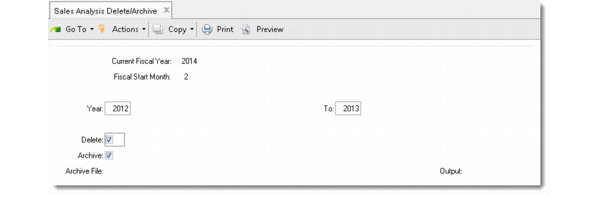
Use Sales Analysis Delete/Archive (7.17.23) to delete/archive sales history for previous (fiscal) years.
Sales Analysis Delete/Archive (7.17.23)
Year/To
Enter an inclusive range of years to be deleted and/or archived. The system does not delete the current year sales history.
Delete
Enter Yes to delete the sales history for the years specified. The default is No.
Archive
Enter Yes to archive sales history for the years specified to a flat file. The default is Yes. This disk file can be copied to tape for off-line storage. If needed, you can reload the data using Archive File Reload (36.16.5).
Archive File
If Archive is Yes, the system displays the file name to be used. The file name is saYYMMDD.hst where sa is the record type and YYMMDD is the archive date. If the file does not exist, it is created. If it does exist, the system appends to it.