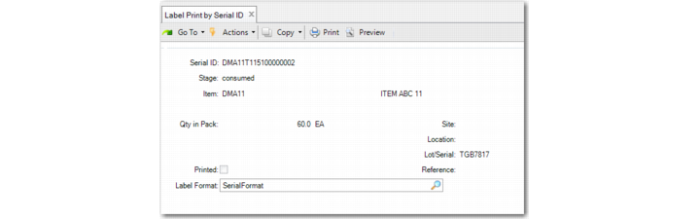
Label Print by Serial ID
Use Label Print by Serial ID (3.3.2) to print labels for packs that are serial controlled independent from transactions. The system prints serial information.
Enter the serial ID. The system displays the stage, item, quantity, site, location, lot/serial, and reference. In the following situations, values of the Qty in Pack and UM fields are displayed as blank:
• The specified serial ID is a unit pack that contains items of multiple combinations of item, lot, and reference.
• The specified serial ID is an assembly pack that contains an item not in any unit pack.
• The specified serial ID is an assembly pack that contains a unit packs holding items of multiple combinations of item, lot, and reference.
Specify the label format, then the output printer.
Note: Third-party application suppliers provide label formats for QAD EE use; you set up the file name in Label Setup functions.
Label Print by Serial ID (3.3.2)
Serial ID
Enter the serial ID for the pack to print/reprint a label.
Label format
Specify the label format the system uses when printing.