QAD 2017 Enterprise Edition
>
User Guides
>
System Administration
>
Domain Constants
>
Using Reason Codes
Using Reason Codes
Reason codes are used in security functions, sales quotes, sales order maintenance, purchase order returns, shop floor reporting, repetitive reporting, and the Product Change Control (PCC) module. They are also used if you have enabled change tracking and in several optional modules, such as WIP Lot Trace, Electronic Signatures, and Shipment Performance. Add other custom uses as needed.
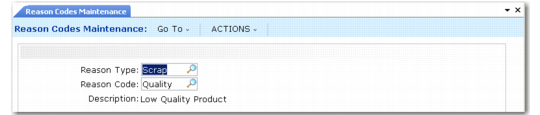
Reason Codes Maintenance (36.2.17)
• Use codes of type User_Act for the Active Reason field in User Maintenance (36.3.1) and the Auto-Deactivation Reason field in Security Control (36.3.24).
• Use codes of type ESIG to indicate why a user is authorizing the data in an e-signature enabled program.
• Use codes of type QUOTE in the Reason Lost field of sales quotations.
• Use codes of type CORRINV to specify why an invoice must be corrected in Sales Order Maintenance (7.1.1).
• Use codes of type DOWN or DOWNTIME in the Reason field of labor feedback programs (16.20.1 through 16.20.4).
• Use codes of type ORD_CHG to associate changes made in Sales Order Maintenance to order detail, such as a change to the order line quantity or due date. See
Tracking Changes.
• Use codes of type DOWN, DOWNTIME, REJECT, REWORK, ADJUST, and SCRAP for reporting in Repetitive and Advanced Repetitive programs. Use these same codes with the optional manufacturing WIP Lot Trace module.
• Use codes of type SCRAP with Advanced Repetitive subcontract shipping programs and Scrap Transaction Maintenance (3.14). For more information on subcontract shipping programs, see
QAD Sales User Guide. • Use codes of type SHIPQTY and SHIPTIME with the Shipment Performance module.
• Use codes of type RTV (return to vendor) to define reasons entered in Purchase Order Returns (5.13.7).
Note: Codes used in the PCC module are user-defined. They specify severity levels related to approval of change documents.