Review Batch Jobs
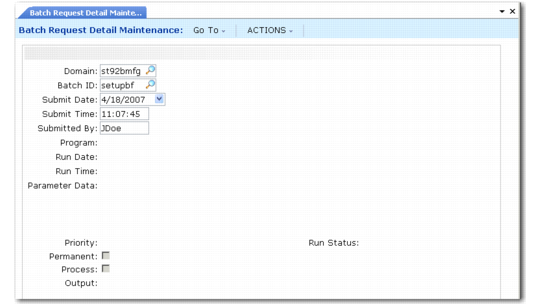
Usually the system administrator reviews batch requests prior to batch processing. Use Batch Request Detail Maintenance (36.14.3) to view reports and programs submitted to any batch. You can eliminate duplicate or unnecessary requests, prioritize requests, and redirect output as needed.
You must specify the domain associated with the batch requests you want to modify. You must have access to any domain you specify in User Domain/Entity Access Maintain.
Batch Request Detail Maintenance (36.14.3)
As each request is executed, its status is updated to reflect whether it completed normally. Statuses include:
Failed (incomplete)
Complete
Running
When a batch does not complete normally, use Batch Request Detail Maintenance (36.14.3) to select the Process field and restart Batch Request Processor.
Process Batch Request
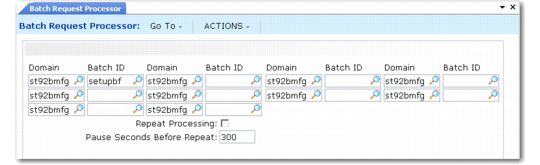
Use Batch Request Processor (36.14.13) to run reports and/or programs submitted by users with a batch ID. You can process up to 10 batch IDs in a single run. Each batch ID can be associated with a different domain. This lets you manage batch requests for multiple domains within one database without having to change your current working domain.
Batch Request Processor (36.14.13)
When you run a batch process, the system executes all items queued for a given batch ID in the requested order. You control the batch order by assigning a priority to each batch ID.