Container Levels
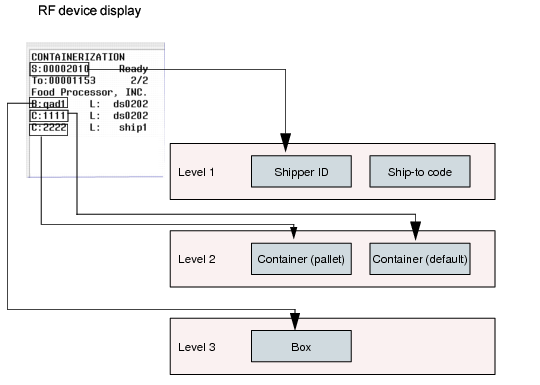
RF containerization is based on levels. Shipper IDs are the highest level, containers are the second level, and boxes are the lowest level. When staff link the box to a new container, the container level displays between the shipper and the box level.
Note: Current containerization functionality lets staff put the picking containers (boxes) into other containers (pallets) only.
Container Levels
If you remove boxes and the container at the next level up is empty, the system deletes the empty container. For example, if staff remove all boxes from a pallet, the pallet container does not display under the shipper. When staff remove a container that belongs to a shipper, the box attaches to the shipper.
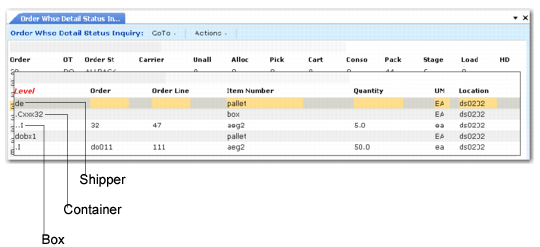
Order Warehouse Detail Status Inquiry (4.15.4.1), Container Levels shows the container levels that display in Order Warehouse Detail Status Inquiry (4.15.4.1). To view these details, use the S option to view shipper information.
Order Warehouse Detail Status Inquiry (4.15.4.1), Container Levels