Removing Boxes from Containers
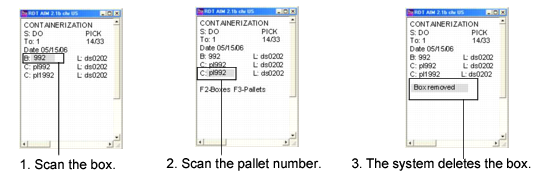
You remove boxes and containers using the RF Container Build (3.3) menu option. To delete a box, staff scan the box and its container. The system knows the pallet for the box and understands this action is to remove the box from the pallet; see
RF Box Removal.
If you remove one box from a pallet, the system displays the message:
Box Removed
If you remove all boxes from a pallet container, the pallet container is removed, too, so the pallet container level does not display under the shipper ID on the RF device.
RF Box Removal