Setting Up RF Sorting Method
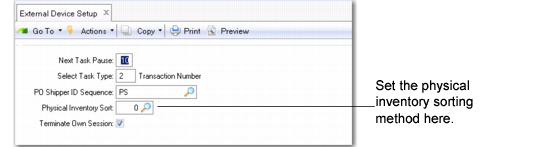
Specify the RF sorting method for the tags by setting the Physical Inventory Sort field in External Device Setup (4.23.22)
For all sorting methods, the system considers the site/warehouse and work location group users enter when they log in to the RF.
Note: The system does not consider the user-work location group assignment.
External Device Setup
(4.23.22)
Physical Inventory Sort
Specify the tag-sorting method that the RF device uses during a physical inventory.
0 (the default): Sort by travel sequence: The system uses the last location scanned with any other RF function, or if it is the first action after login, the system uses the location entered in the RF login screen. This is the default setup if no entry exists in Generalized Codes Maintenance (36.2.13).
1: Sort by location name: The system uses locations by alphabetical order, starting with the first alphabetical location.Travel sequence is not considered.
2: Sort by count number: The systems sorts by the count number.