QAD Solution
To enable you to specify that a sale is for an end consumer, when creating the shipper, the system calculates tax total amounts by item and stores each amount in the legal document detail record. When sales to the end consumer take place, the estimated tax total amount due is calculated and also stored in the legal document detail record.
The
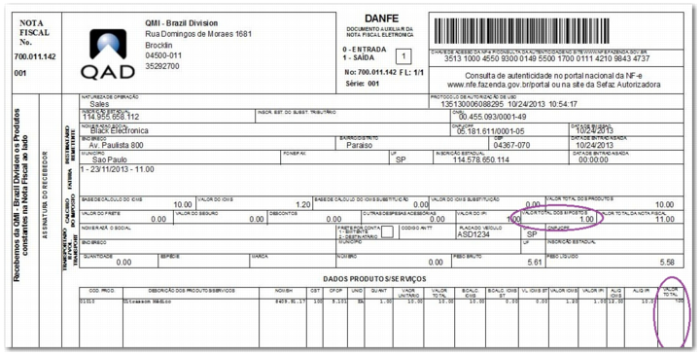
Nota Fiscal includes the end consumer tax. The tax total amount is included in the NFe XML file and is printed on the DANFE, as displayed in
Sample DANFE with Total Taxes.
Sample DANFE with Total Taxes
To enable this functionality for end consumer legal documents, you must complete the Estimated Total Tax percent field in Item Fiscal Class Maintenance (1.7.1). For full details of this field and the Item Fiscal Class Maintenance program, see
Setting Up Electronic Notas Fiscais.
You must also correctly complete the End Consumer field in Tax Usage Maintenance (20.1.9) to indicate that a
Nota Fiscal refers to an end consumer sale. This field is only available when the operation is 11-Sales or 3-Sales Returns. For full details of this field and the Tax Usage Maintenance program, see
Tax Usage Validation.