Specifying the Transmission Mode to SEFAZ
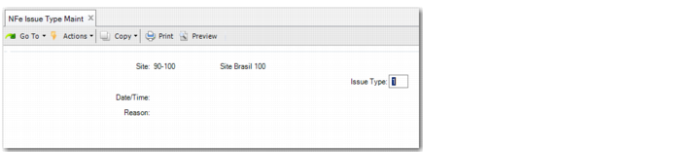
Use NFe Issue Type Maint (7.10.7.20) to specify the mode of operation for transmitting files to SEFAZ; for example, normal operation or one of the contingency types.
NFe Issue Type Maint
Site
Specify the site that is sending the electronic nota fiscal.
Issue Type
Specify a value that indicates the issue type. The value is always 1 for normal operation, but will vary for contingencies. The contingencies are 2: Contingency using a Security Form, 5: FS-DA contingency, 6: SVNA contingency, 7: SVRS contingency.
See
Using Contingencies for more information on these contingencies.
Specifying Authorized Persons to Download
For NFe 3.10, you can specify which users can download the XML file from the SEFAZ web site. For example, the accountant or a broker may need access as well as the company and government officials.
To enable a particular company, customer or supplier to download the file, open Business Relation Modify (36.1.4.3.2) and create a new address for the business relation. Make sure that you enter NFeXMLDownload in the Address Type field.
On the Tax Information tab, in the Federal Tax field, enter the relevant CNPJ (Company Federal tax ID) or CPF (Natural Person Federal Tax ID).