Confirming the Shipper
If all the required setup is correct, the system generates the electronic nota fiscal during the shipper confirm process. If you have set up automatic electronic nota fiscal processing in Nfe Site Control Manut, the system automatically seeks authorization from SEFAZ and prints the DANFE as part of the shipper confirm process.
This section describes the electronic nota fiscal process that is integrated with shipper confirm and describes the shipper confirm fields that are specific to the electronic nota fiscal. The examples in this section use Pre-Shipper/Shipper Confirm (7.9.5), but you can generate electronic nota fiscal data in other shipper confirm functions.
Pre-Shipper/Shipper Confirm, Second Frame
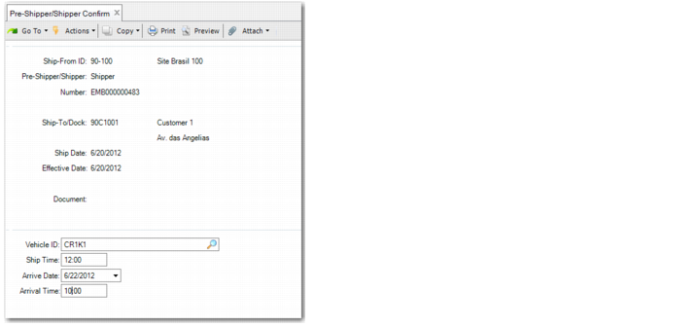
When confirming a shipper in Pre-Shipper/Shipper Confirm, an electronic nota fiscal-specific second frame is displayed when electronic nota fiscal processing is activated. In the frame, you must specify the vehicle ID, ship time, and arrival date and time for the goods.
Pre-Shipper/Shipper Confirm, First and Second Frames
Vehicle ID
Displays the vehicle ID specified during the shipper create process.
Ship Time
Specify the time at which the goods were shipped. This field is mandatory for electronic notas fiscais.
Arrive Date
Specify the estimated arrival date for the goods. This field is mandatory for electronic notas fiscais.
Arrival Time
Specify the estimated arrival time for the goods. This field is mandatory for electronic notas fiscais.
Legal Document Number Frame
When the legal document number is generated during shipper confirm, the system displays the sequence ID configured for electronic notas fiscais.
Pre-Shipper/Shipper Confirm, Legal Document Number Frame
Sending Automatic Authorization Requests to SEFAZ
If you have configured the system to automatically send an authorization request to SEFAZ, this step occurs after you have posted the invoice.
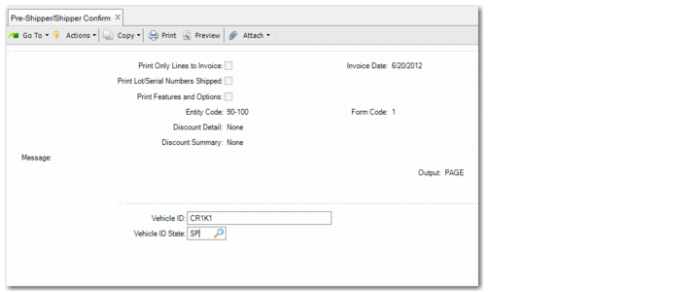
You must specify the vehicle ID and vehicle state again, and then the system links to SEFAZ and requests authorization for the electronic nota fiscal.
Pre-Shipper/Shipper Confirm, Posting Frame
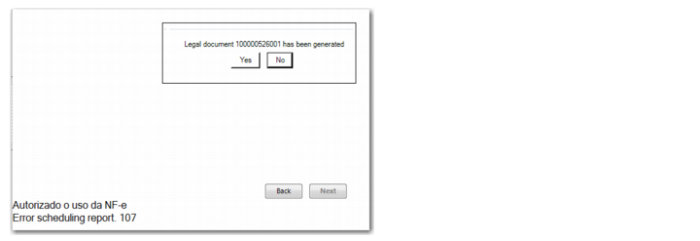
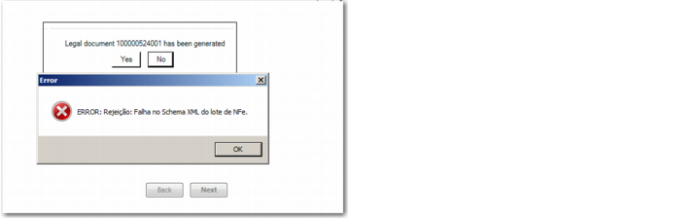
After you have specified the vehicle details and clicked Next, a message is displayed indicating whether the electronic nota fiscal was approved or rejected by SEFAZ.
Authorization Message from SEFAZ
Rejection Message from SEFAZ
When authorization is received from SEFAZ, the DANFE is printed automatically.