Sending the Nota Fiscal to the Customer
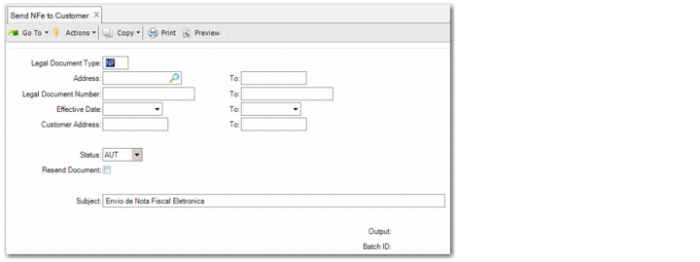
Use Send NFe to Customer (7.10.7.12) to send electronic nota fiscal XML files to your customer through e-mail.
The program creates XML files with encapsulated electronic nota fiscal data according to the standard layout prescribed by SEFAZ. The file is generated to the configured output directory and has the suffix -proc-nfe.xml.
Send NFe to Customer
Legal Document Type
Specify the legal document type.
Address
Specify the site that is issuing the notas fiscais.
Legal Document Number
Specify the legal document number range.
Effective Date
Specify the date range for which you want to retrieve and send electronic nota fiscal files.
Customer Address
Specify the ship-to for which you want to retrieve and send electronic nota fiscal files.
Status
Specify the type of files to generate:
AUT: Generate electronic notas fiscais authorized by SEFAZ. You can print a DANFE for an authorized electronic nota fiscal.
CAN: Generate information on electronic notas fiscais canceled by SEFAZ.
Resend Document
Select this field to resend electronic nota fiscal files previously sent to the customer.
Subject
Specify up to 50 characters for the subject of the e-mail.