Automatic PO Shippers
Note: The Automatic PO Shipper functionality is only available from QAD 2013 Enterprise Edition.
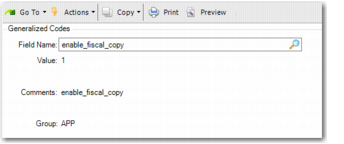
You can configure the system to create a physical receiving based on a copy of quantities recorded in Fiscal Receiving. When you enter the information in Fiscal Receiving, a PO shipper is created automatically. To enable this functionality, open Generalized Codes Maintenance (36.2.13) and set the field
enable_fiscal_copy to enable copying, as displayed in
Generalized Code.
Generalized Code
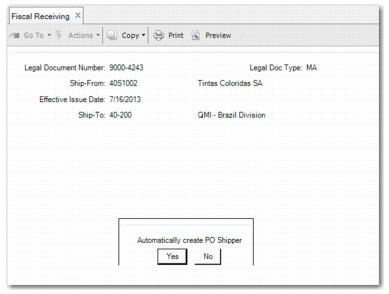
When you complete Fiscal Receiving, a message is then displayed prompting whether you want to automatically create a PO shipper, as displayed in
Automatically Create PO Shipper.
Automatically Create PO Shipper
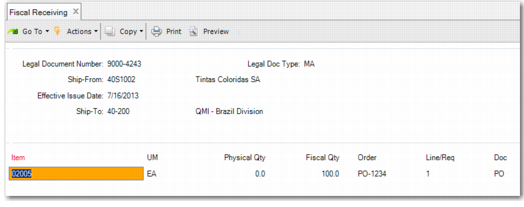
When you click Yes, the details of the PO shipper are shown on the screen, as displayed in
Automatically Create PO Shipper.
Automatically Create PO Shipper
The PO shipper is created automatically and you do not have to type the details again in Purchase Order Receipts (5.13.1). Before you commit the PO receipt to inventory, you can make manual changes to the PO shipper in PO Shipper Maintenance (5.13.14). You must then confirm the shipper in PO Shipper Receipt (5.13.20).