Creating a Debit Note Legal Document
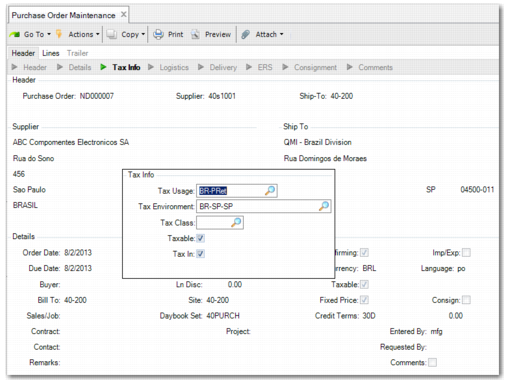
To enable you to create a debit note, use Purchase Order Maintenance (5.7) to create a purchase order to return the items. Ensure that you set the Tax Usage field to Purchase Order Returns, as displayed in
Purchase Order Maintenance, Tax Usage.
Purchase Order Maintenance, Tax Usage
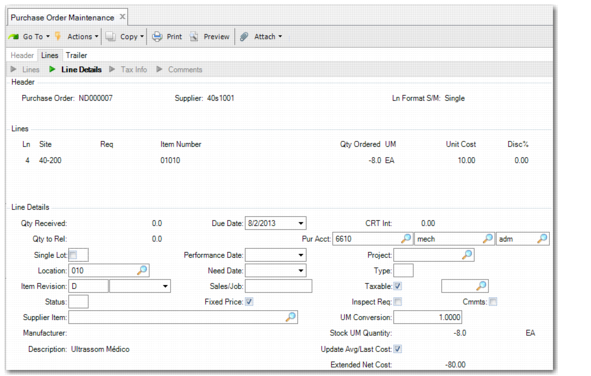
To return items, enter a negative quantity for the relevant item line, as displayed in
Purchase Order Maintenance, Negative Quantities.
Purchase Order Maintenance, Negative Quantities
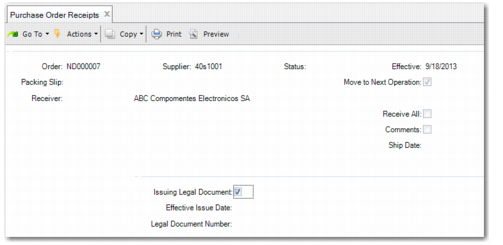
When you have created the returns, confirm them in Purchase Order Receipts (5.13.1). Ensure that you select Issuing Legal Document during the process, as displayed in
Purchase Order Receipts, Issue Legal Document.
Purchase Order Receipts, Issue Legal Document
When you complete the negative receipt, a message is displayed with the number of the legal document that has been created. The legal document is of type debit note so you need to change the NRM to a Debit Notes NRM.