Status
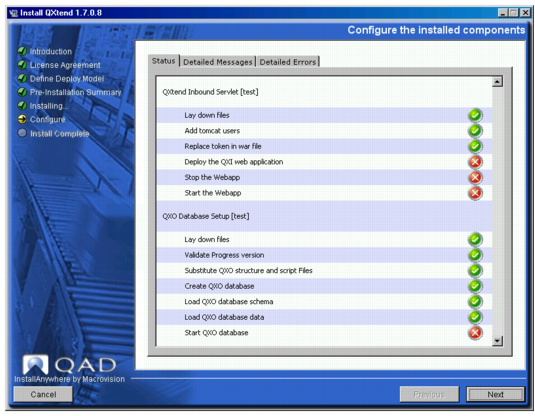
The Status screen uses colored symbols to indicate the status of each component:
• A green check mark means that the operation completed successfully (success status).
• A red cross means that non-fatal and fatal errors occurred (failure status).
• A blue double arrow means that you can skip the task (it was previously completed or is irrelevant).
To allow you to easily identify issues, a status also displays for any substeps performed during the installation or upgrade. For example,
Installation Status Screen shows that installing the Inbound Servlet and Outbound Database consists of several substeps (replace token in archive, loading the database schema, and so on). A status displays for each of these substeps.
Installation Status Screen