Generating WSDL
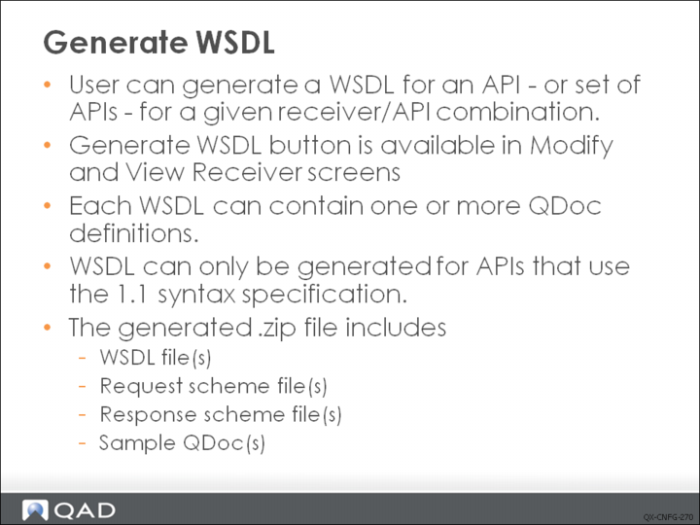
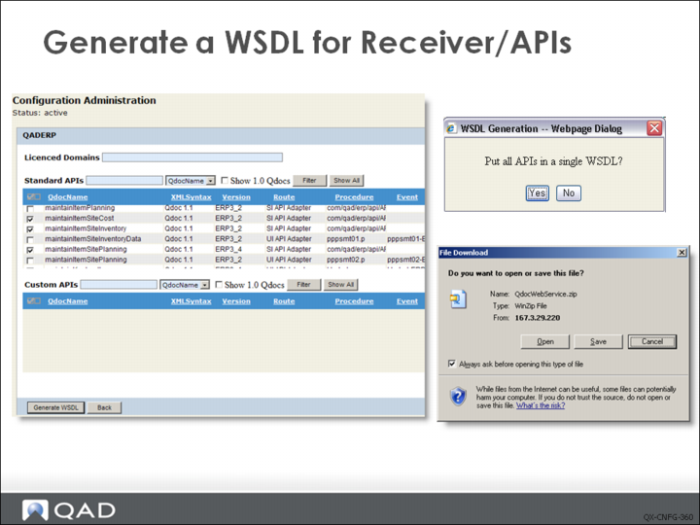
You can also generate a WSDL file on demand for APIs. Each WSDL can contain more than one QDoc definition, allowing multiple APIs to be combined into one WSDL file for a selected receiver. All the request and response schemas are included and can be saved to a client. To generate a WSDL, select a receiver and then click the Generate WSDL button.
If a WSDL is generated from a single API, both the compressed .zip file and .xsd file use the same name as the API name. If a WSDL is generated from multiple APIs, the zip file is named QDocWebService.zip and WSDL file is named QDocWebService.wsdl.
To generate a WSDL:
1 In the Configuration Manager, choose Receivers|<application>.
Here, <application> is eB, eB2, eB2.1, QADSE, or QADEE. Other products also might display on this menu. The currently available receivers for that version display.
2 Select the receivers by selecting the check boxes and then click View.
A list displays the standard and custom APIs that the receiver currently supports.
3 Select the APIs for which you want to generate a WSDL. You can select any combination of standard APIs, custom APIs, or both.
4 Click Generate WSDL.
The WSDL is generated and a File Download box displays.
Note:
• If no API is selected, a warning message appears when you click Generate WSDL. Close the message box and select an API.
• If you select only one API, you can generate a backward-compatible WSDL that can be used with an older version of an API. If you select multiple APIs and choose not to combine them in a single WSDL, you can also generate a backward-compatible WSDL.
• If you select multiple APIs, you can combine all the APIs in a single WSDL. If you select No, can create a backward-compatible WSDL.
5 Navigate to where you want to download the file and click Save.
The .zip file is saved to the selected location.