Configuring the DDP Source Application Type.
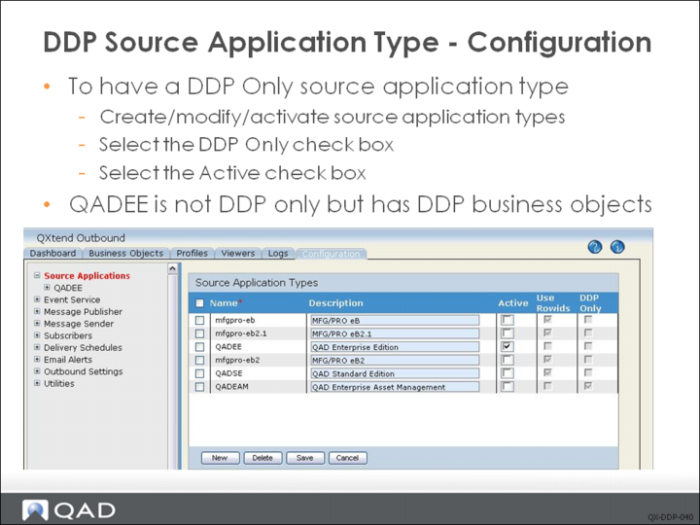
Selecting the Source Applications node in the tree menu on the Configuration tab in QXO displays the current source application types. Use this screen to maintain the source application types available to QXO.
Ensure that a DDP source application type has the corresponding DDP Only check box selected; this controls the behavior of QXO when managing business objects. Also, when using a source application type, make sure that the Active check box is selected; otherwise, it will not be available in other areas of QXO. Each active source application types is displayed as a menu option under the Source Applications node.
All business objects of DDP only source application type are DDP business objects, but DDP business object can also be created in source application types that are not DDP only. QADEE is the typical source application type which is not DDP only but has DDP business objects (Financials).