Dashboard Service
The Dashboard Service is a QXtend Outbound service that counts events, publisher messages, and sender messages to prepare data for the dashboard. The Dashboard Service improves the performance of QXtend Outbound and ERP transactions that create events.
Dashboard Service page
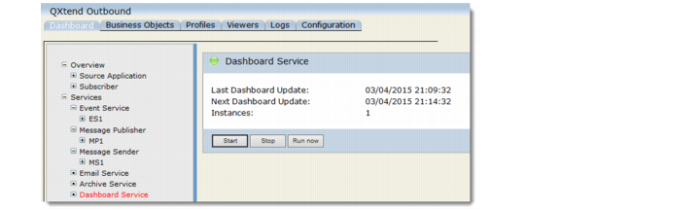
To open the Dashboard Service page, go to Dashboard|Services|Dashboard Service. The Dashboard Service page displays the following information:• Last Dashboard Update: Shows the time of the last dashboard update
• Next Dashboard Update: Shows the time of the next scheduled dashboard update
• Instances: Shows the number of instances
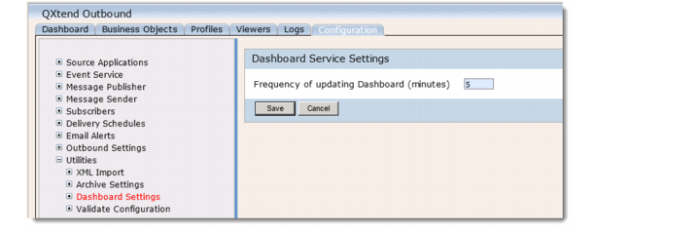
The frequency of counting message numbers depends on the settings in Configurations|Utilities|Dashboard Settings. The default setting is 5 minutes.
Dashboard Settings
On the Dashboard Service page, use the following buttons to start or stop the Dashboard Service:• Start: starts the Dashboard Service.
• Stop: stops the Dashboard Service.
• Run Now: counts message numbers right now. If the dashboard update process is running, clicking this button displays a warning message.
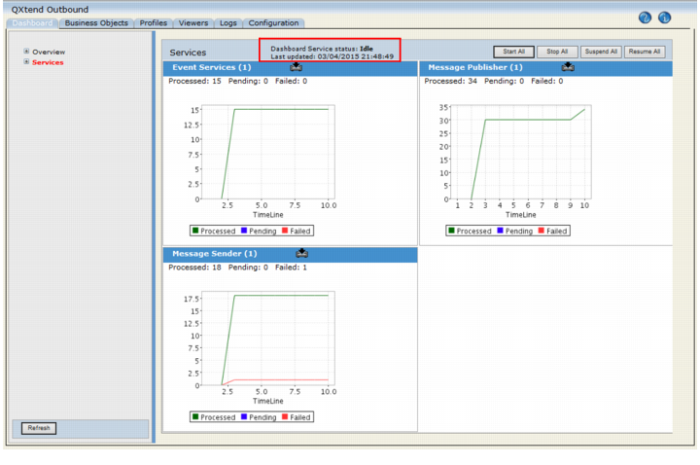
QXO Dashboards also display status of the Dashboard Service. The Dashboard Service status and the time of last update are displayed on each QXO Dashboard.
Dashboard Service Status Display