Configuring the Connection Pool and Schema (QXI)
Note: You configure the connection pool and schema in QXI.
2 Load the XML schema. The XML schemas are stored in the location specified in the following directory on the appserver:
c:\<installdir>\qadfin\components\progress\xml\*.xsd.
a Rename the file with the QDoc version appended to the file name.
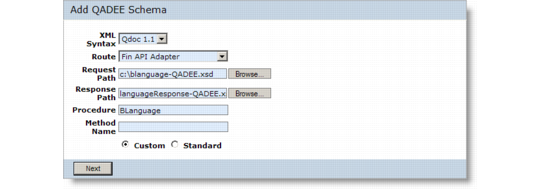
Adding the Schema
b Enter the following values for the schema:
XML Syntax: QDoc 1.1.
Route: FIN API Adapter.
Request Path: The location of the schema file from Financials.
Response Path: Blank, or specify a response schema.
Procedure: Enter the name of the Financials component; for example, BLanguage.
See
QDoc Schemas for details on adding schemas.
Custom Schema