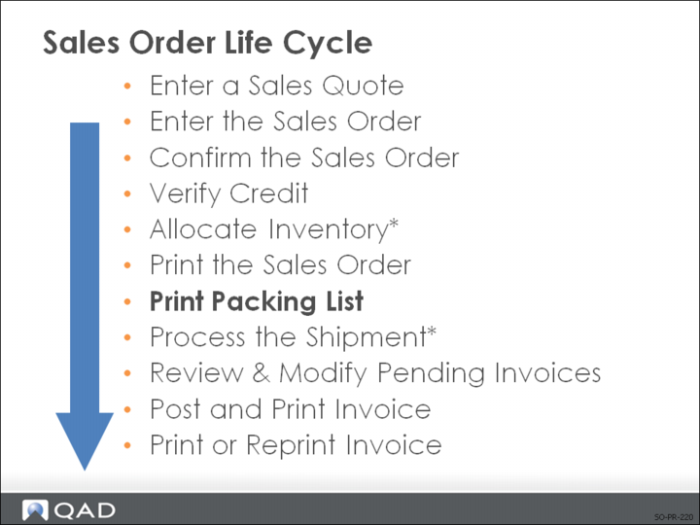
Print Packing List
Use Sales Order Packing List to print the packing list for a sales order.
You can only print a packing list for sales orders that are not on credit hold (Action Status field is blank in Sales Order Maintenance).
• Customer Partial OK field defaults from the customer record when a sales quote or order is entered (it can be changed manually on the trailer frame in Sales Order Maintenance)
• No = the customer will not accept partial shipment
Note: When Sales Order Packing Lists are printed, the system checks this field and verifies that all line items are available (allocated) and can be completely shipped. If they are not, a packing list does not print for this order (and presumably shipments are not made although the system does not stop you).
• Yes = a packing list prints (and shipments are made) even if the entire order quantity is not available
• Whether only some of the line items are ready to ship, or an individual line item can only be partially satisfied
• The remainder of the order remains (backordered) in the system until it can be shipped
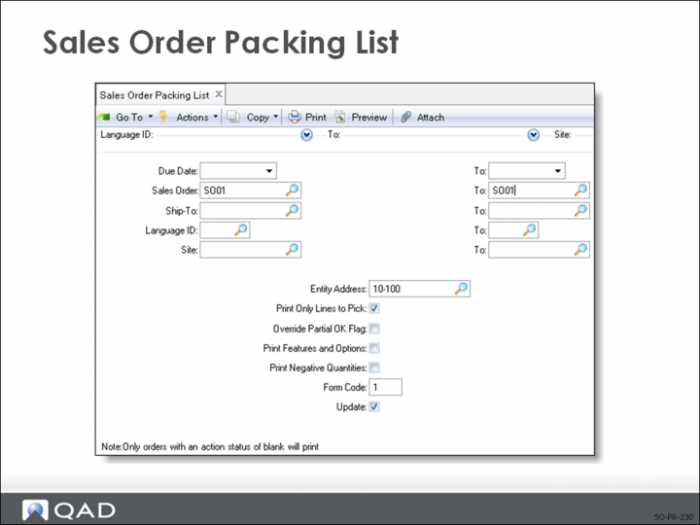
Sales Order Packing List
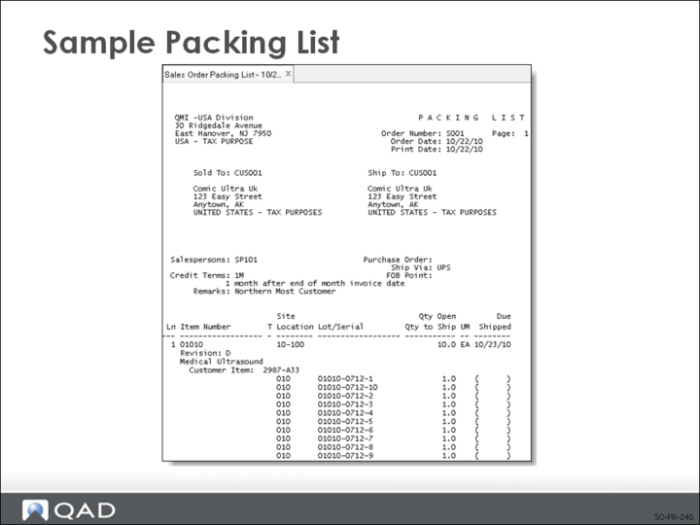
Picklist shows:
• What items to pick to fill the order
• Where to pick them from (site/location)
• If you specified a lot/serial number (detail allocation) when creating the sales order, this information appears on the picklist
• If you did a general allocation for the sales order, the system converts the general allocation to a detail allocation at the time it prints the picklist
Print Only Lines to Pick
Defaults from Pick Only Allocated Lines in Sales Order Control and specifies whether only allocated quantities should print during this program execution
• Yes: Only line items with a non-zero quantity allocated are printed
• No: all lines with a non-zero open quantity are printed, regardless of the quantity allocated
• Packing lists for both sales orders and RMA issue lines can be printed using Sales Order Packing List
• Only line items with a non-zero quantity allocated (greater than zero) are detail-allocated by the Sales Order Packing List Print
• Print Only Lines to Pick is normally = Yes when allocations are being used
• Enables the sales desk, not the shipping clerk, to control shipments since only allocated quantities print on the packing list, telling the shipping department what to ship
• This process requires that you use packing lists to communicate shipping priorities
See in this training guide:
Pick Only Allocated LinesOverride Partial OK field
Yes = Allows you to override the setting in the trailer frame of Sales Order Maintenance and print a picklist for an order even if it can only be partially shipped.
• For orders that do not allow partial shipments, the packing list prints only if all line items have been allocated
Note: This is used in special circumstances when there is a shortage and the customer has indicated they will accept a partial shipment. This lets you print a picklist without going back into Sales Order Maintenance to change the Partial OK field.
After Printing the Picklist
• The quantity allocated decreases by the quantity picked (Qty Allocated field in Sales Order Maintenance)
• The quantity picked equals the picked quantity (shown in the Qty Picked field in Sales Order Maintenance)
See in this training guide:
Qty Allocated and
Qty Picked