Using Progress Syntax
You use some Progress syntax in creating or modifying views. You must also understand database table and field relationships.
To create or modify a view:
1 Select the table or tables to include in the view.
2 For sequences after the first, specify the type of join to use: inner or outer.
3 Join the tables using Progress logic.
4 Select fields from the tables.
5 Save the view.
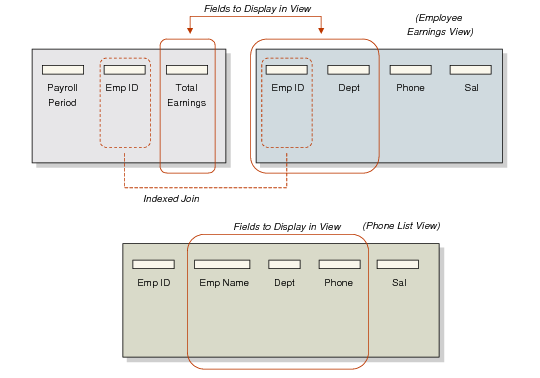
Creating a View by Joining Two Tables illustrates how to create a view of selected fields from two tables.
Creating a View by Joining Two Tables
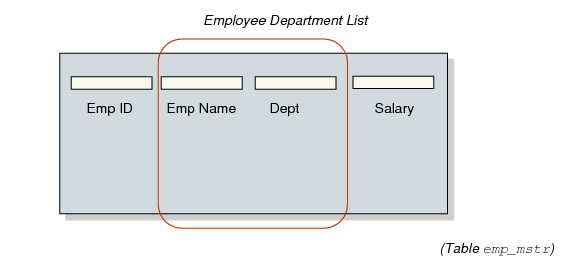
Creating a View from One Table illustrates how to create a view of selected fields from one table.
Creating a View from One Table