Work Center and Routing Setup and Maintenance
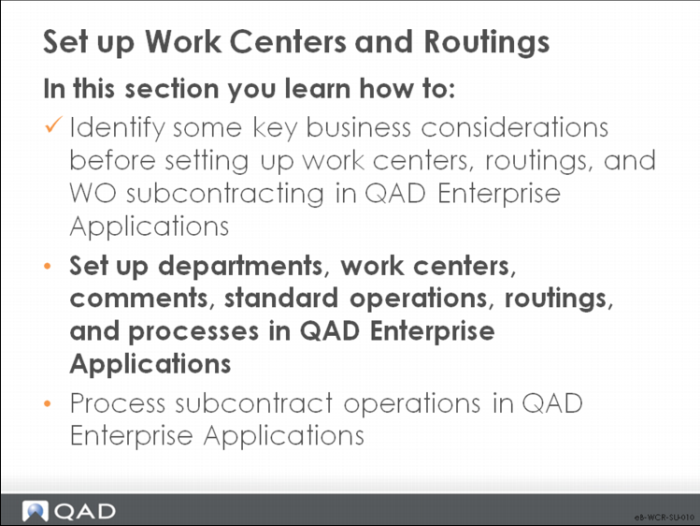
Set Up Work Centers and Routings
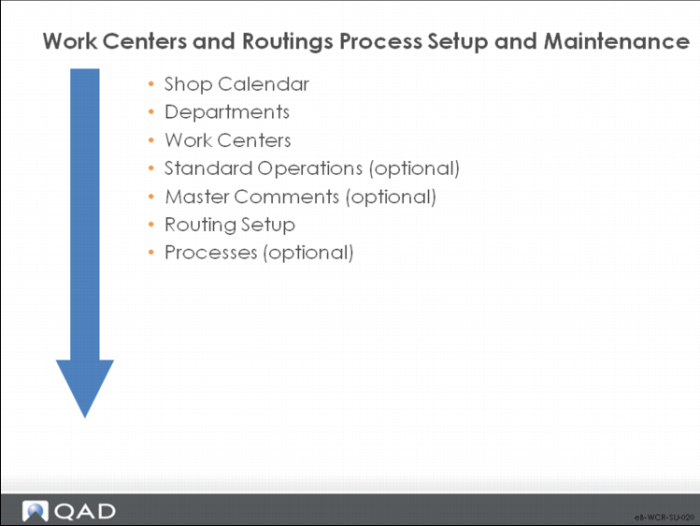
Work Centers/Routings/Process Setup and Maintenance
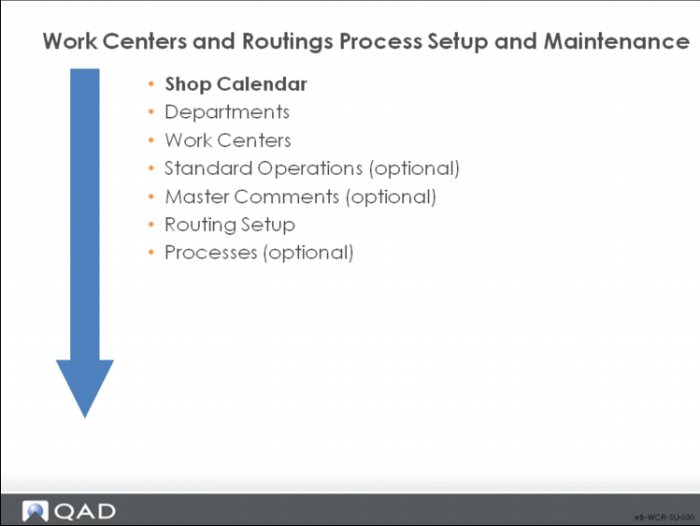
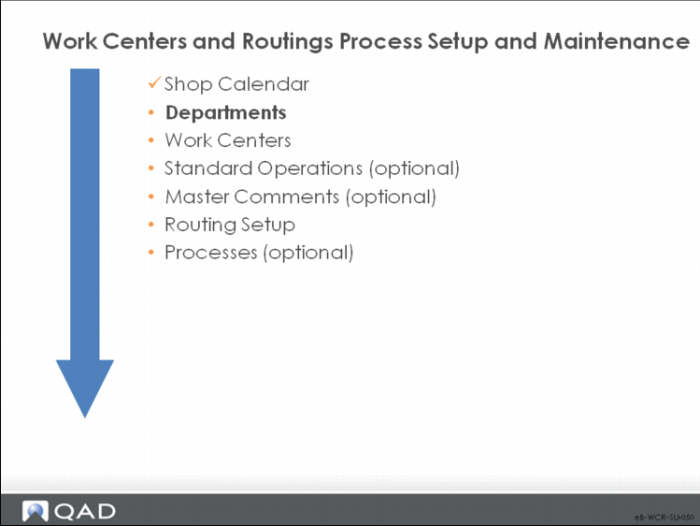
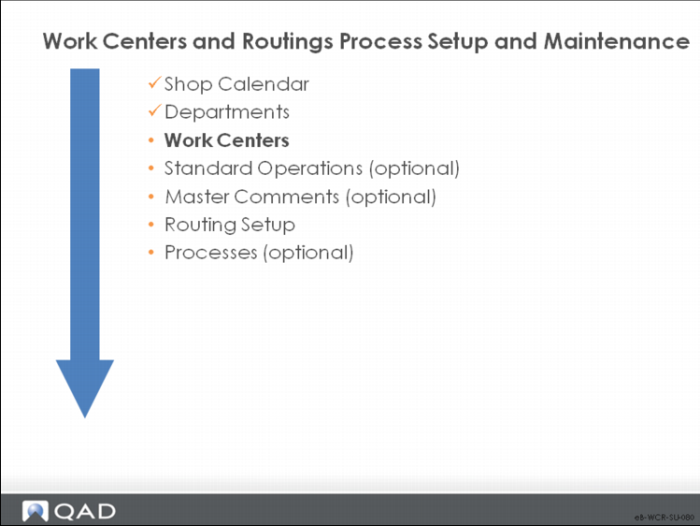
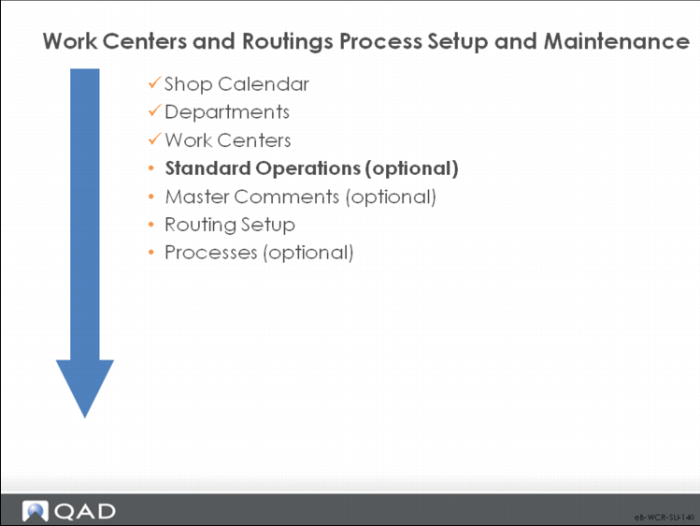
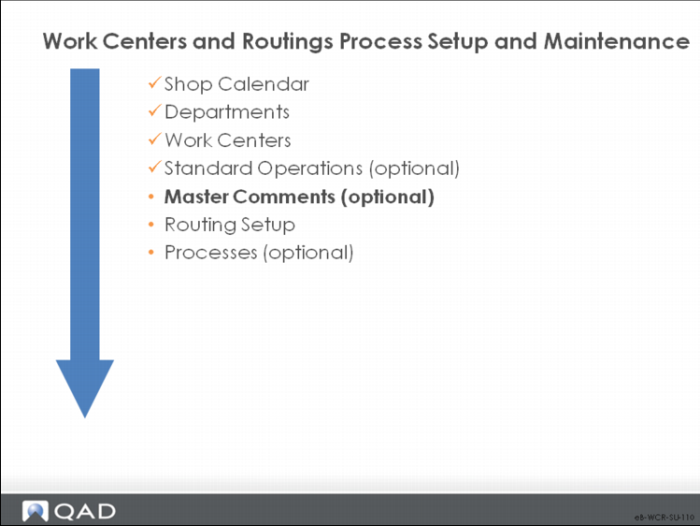
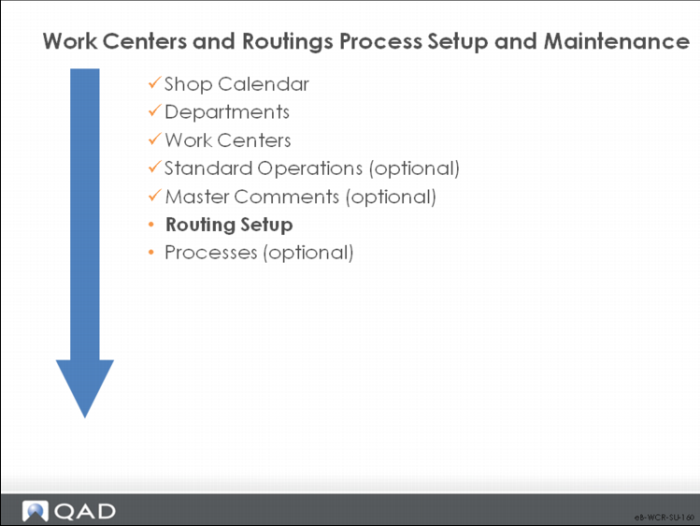
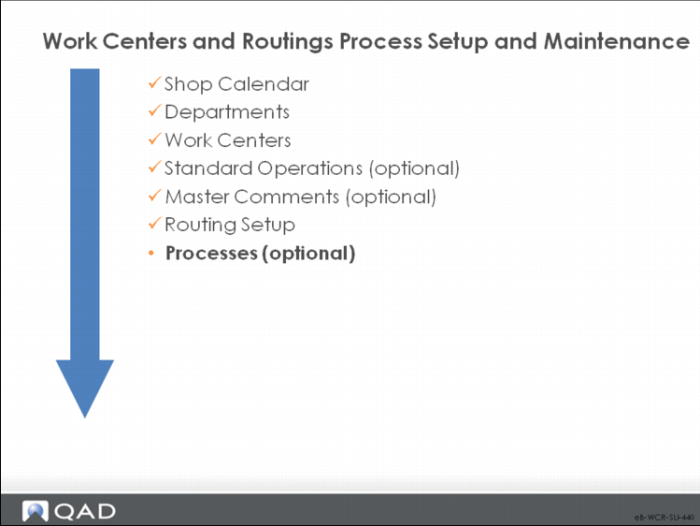
This work flow sequence is the recommended initial setup sequence of for work centers, routings, and processes. It is based on information that flows from one type of data to another and prerequisites. Optional steps are noted.
Shop Calendar
The calendar sets the work week and the daily hours.
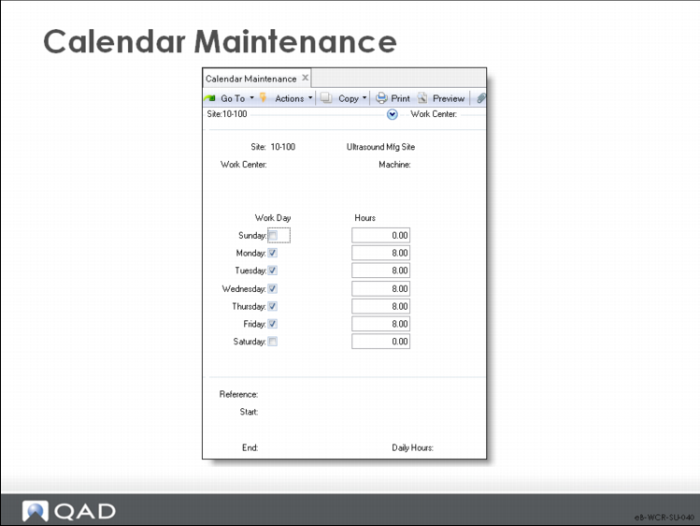
Calendar Maintenance
Define at least one calendar. Calendars set the standard work week for a site and the work centers in it. Calendars provide the basis for all manufacturing scheduling functions. You can create a calendar for the entire system, for specific sites, for work centers, and for machines in work centers.
Note: Line Schedule Workbench uses the calendar defined in Shift Maintenance.
Site
The site to which the calendar applies. Leave this field blank to create a system calendar.
Work Center
The work center to which the calendar applies. Leave this field blank to default the work center to the site calendar.
Machine
The machine to which the calendar applies. Leave this field blank to default the machine to the work center calendar.
Work Day
Denotes whether a day is a work day or not.
No: Not a work day; the system schedules nothing on non-work days.
Yes: A work day. The system can schedule events, such as production and shipments.
Hours
The total number of hours normally scheduled for all shifts to work on this day.
• Make this value reflect actual production hours, exclusive of breaks.
• This number reflects all shifts scheduled for work, which can be greater than 24 hours.
• When calculating schedule due and release dates, the system looks only at scheduled work days, ignoring exceptions and holidays.
Record exceptions to the normal calendar in the Reference, Start/End, and Daily Hours fields. These exceptions schedule:
• Overtime
• Increased shifts
• Reduced shifts
• Preventative maintenance
• Shutdowns
The number of hours specified is added or subtracted from the normal work day for each day in the range of dates specified.
Note: Exceptions only record holidays if the holiday only applies to some work centers. If the holiday applies to all work centers, use Holiday Maintenance.
Reference
A reference code identifying an exception to the shop calendar, usually describing the type of exception such as Overtime or Shutdown.
Start/End
The first day and last day this exception applies to; the exception applies to all work days in the range of dates specified.
Daily Hours
The number of hours to add to or subtract from normal scheduled work hours for the specified range of dates. This value can be positive or negative; for a shutdown on a normal work day, enter -8.
Departments
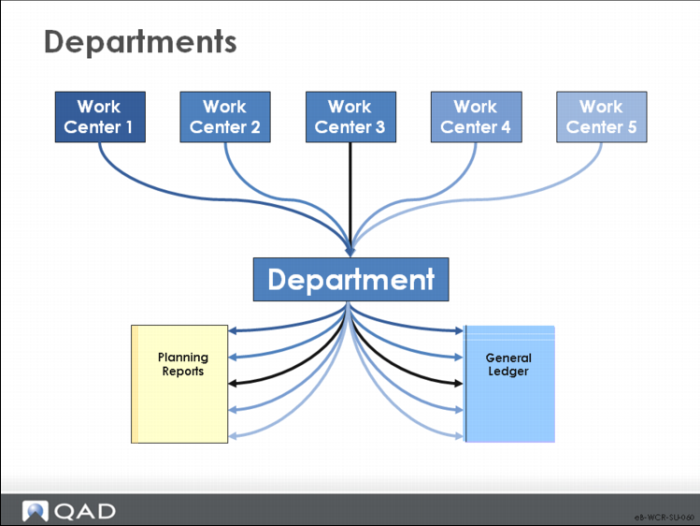
Departments group work centers for capacity requirements planning and general ledger (GL).
Similar to product lines, departments are used to determine the GL accounts on transactions and for summary capacity planning.
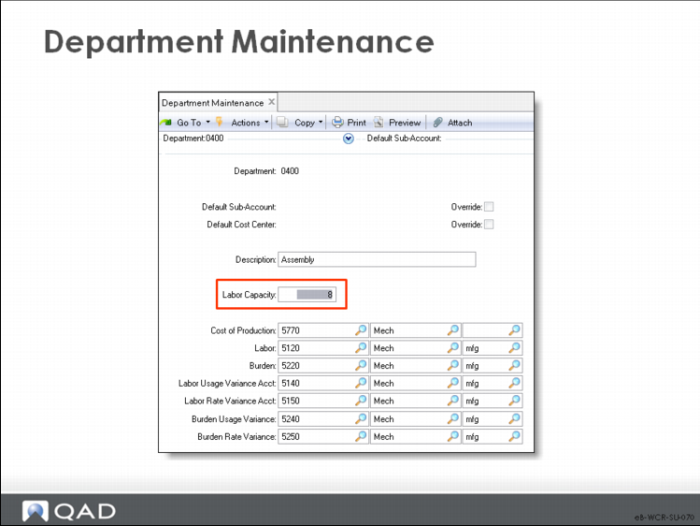
Department Maintenance
At least one department is required before entering work centers or routings.
• Every work center must belong to one department.
• A department is a grouping of work centers for purposes of reporting and accounting.
• CRP calculates capacity/load by work center/machine and can display a departmental summary.
• Labor, burden, and cost of production are tracked in the GL by department.
• Set up a department to group any subcontract work centers.
• Labor capacity can only be entered manually. It is helpful to enter because CRP uses it to determine over/under loads. Labor capacity equals the sum of the capacities of all work centers in the department, assuming the labor is transferable between work centers within the department.
Note: The labor and burden fields are for the absorption/cost centers.
Work Centers
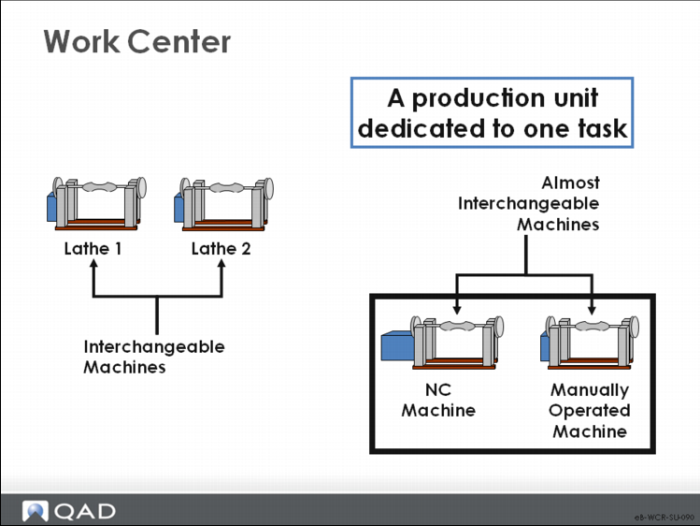
• A work center is a production facility that performs specified tasks.
• It identifies machines, groups of similar machines, people, or subcontract suppliers.
• In QAD Enterprise Applications, work centers link departments with operations.
• Departments are a prerequisite to entering work centers.
A work center is a production area with one or more people and machines. Work centers can be specific, as shown here with lathes. Or they can be general, as with manual assembly where one work center with several people can perform many different tasks.
Work Center Maintenance
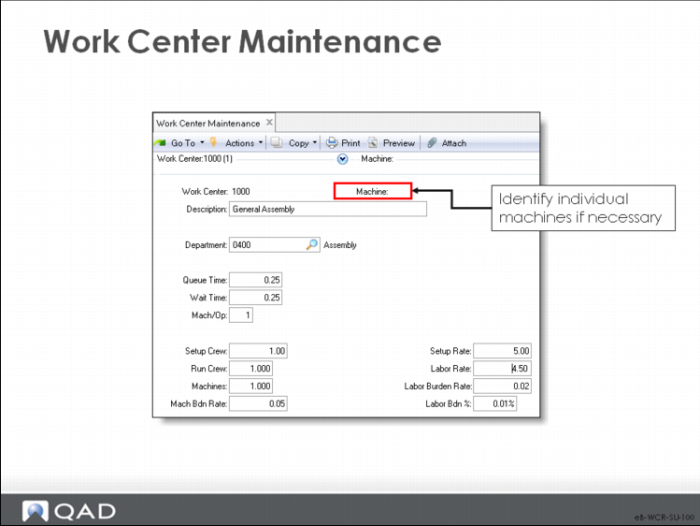
Use this function to create and modify work centers.
• For subcontracting, set up a work center for each type of subcontract operation or supplier. Where possible, it works best when the subcontract work center has the same code as the supplier. Set subcontract work center rate costs to zero. Subcontract costs as managed as purchase cost and are indicated on the subcontract operation in the route.
• Most manufacturing functions in QAD Enterprise Applications access work center data. Some static data (Description, Setup Crew, Run Crew) only prints on reports.
• Work Center data controls processing in four areas:
• Scheduling. When a routing operation is specified at this work center, lead time fields (Operation, Queue Time, Wait Time, and Machines per Op) default to the routings.
• CRP. Capacity for this work center is the number of machines in a work center multiplied by the number of available hours (from Calendar Maintenance).
• Costing. Manufacturing costs are calculated in Routing Cost Roll-Up. Labor costs multiply the setup and run times at each operation by the setup rate and labor rate. Burden costs use Mach Bdn Rate, Lbr Bdn Rate, and Lbr Bdn %. Subcontract costs are taken from subcontract cost at the operation level.
• Accounting. Each work center belongs to a department, which determines the GL accounts that track variances, labor, and burden costs.
The following describes key fields in this program.
Work Center
An alphanumeric code for the work center.
Machine
A code for a machine used in the work center. You can leave this field blank.
• Specify a machine only if there is more than one machine in the work center and they cannot be used interchangeably (that is, each machine is different or dedicated to different items).
• When machine codes are specified, assign each routing operation to a particular machine.
• You can review capacity and load by machine or aggregated by work center.
Department
The department to which this work center is assigned.
Queue Time
The standard queue time, in decimal hours, a job normally spends waiting at this work center before it is set up and processed. This value displays as the default when you enter a standard operation, routing operation, or process operation for this work center.
• Manufacturing lead time includes queue, setup, run, wait, and move time. Lead time is used for operation scheduling and capacity requirements planning. Queue time is independent of order quantity and can be compressed in past due situations
• When scheduling operations, the system looks at the shop calendar for the work center to determine how many hours are available for queue time in each calendar period.
Wait Time
The standard wait time in decimal hours that a job normally spends waiting at this work center after processing has been completed. This value displays as the default whenever you enter a standard operation, routing operation, or process operation for this work center.
Uses for wait time include drying, cooling, aging, and curing. Wait time is independent of order quantity. An order must wait at least this amount of time before it can go on to the next operation; wait time cannot be skipped in past-due situations. Wait time is expressed in hours. The shop calendar does not affect it.
Mach/Op
The number of machines at this work center that can work at the same time to process a given operation. The default is 1. This value displays as the default whenever you enter a standard operation, routing operation, or process operation for this work center.
The Mach/Op field affects scheduling of operations at this work center machine. During scheduling, the system uses the operation run time divided by the Mach/Op. You can also use this field to indicate multiple operators on one machine.
Setup Crew/Run Crew
The number of people normally required to set up and run this work center. These fields are for reference only; they appear on some selected reports and inquiries. No scheduling or cost calculations use this data.
Machines
The number of machines or people in this work center. The total capacity for a work center is the number of working hours times the number of machines. If some of the machines in this work center can operate at the same time, enter that number in the Mach/Op field.
Machine, Setup, and Labor Rates
The values in these fields enter into item cost calculations and labor feedback functions to determine and post actual costs and variances. These rates apply to all operations carried out at this work center and cannot be changed for individual operations.
Mach Bdn Rate
The burden rate per hour applicable to machine run time and setup at this work center. Standard machine burden cost at the operation is calculated as:
(setup time / order quantity x routing machines per op + run time) x WC mach burden rate
If yield is included in the standard cost, machine burden reflects the cumulative yield from all operations
Setup Rate
The average hourly rate paid to set up this work center. If no setup labor is reported for an operation, the system assumes that standard setup was completed and not reported. Setup is posted at standard during operation close or work order accounting close. The setup portion of standard labor cost is calculated by multiplying the standard setup time by the setup rate
• Setup time is the time it takes to set up all machines
• Machines/operation is not considered here
• This cost is divided by the item order quantity
• Labor burden percentage is applied to the setup cost
• Actual setup cost is calculated by multiplying the actual setup time by the setup rate for the work center
Labor Rate
The average rate paid per labor hour to run this work center. The run portion of standard labor cost is calculated by multiplying the standard run time by the run rate
Actual run cost is calculated by multiplying the actual run time by the labor rate for the work center.
Lbr Bdn Rate
The labor burden rate per hour applicable to both setup and run time at this work center. The labor burden portion of standard burden cost is calculated using:
• The labor burden rate and labor burden percentage
• The labor burden rate is multiplied by the operation setup and run times
• Actual labor burden is calculated using the actual hours reported and the burden rates and labor costs from the work center where the operation was reported
Lbr Bdn%
The labor burden percentage applicable to the total labor cost at this work center. The labor burden portion of standard burden cost is calculated using the labor burden rate and labor burden percentage
The labor burden percentage is multiplied by the total labor cost for operation setup and run
Actual labor burden is calculated using the actual hours reported and the burden rates and labor costs from the work center where the operation was reported
Standard Operations
Standard operations are optional.
• Often, routings share one or more operations that are essentially the same
• An automated packaging process can be the same regardless of the color of the products packaged
• Various heat treating or oven cycles are also examples of standard operations.
• To save work when entering new routing operations, in QAD Enterprise Applications, you can create template operation steps called standard operations
Standard Operation Maintenance
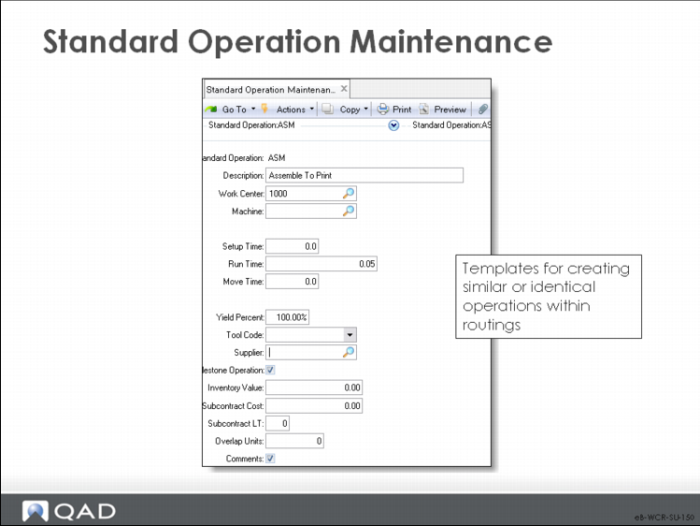
A standard operation is a template for multiple similar or identical routing operations.
Be careful to create error-free templates; if there are errors in the template, they are replicated.
• In Routing Maintenance or Work Order Routing Maintenance, you can optionally specify a standard operation rather than enter it manually. This choice fills all the operation data with default values.
• Each standard operation is defined with the setup, run, and move time (or subcontract time), yield, overlap, and instructions for carrying out this operation at its normal work center.
• This information displays as the default when a routing or process operation is added that references this standard operation code.
• It can be changed, for example, when a different work center or machine performs the operation. In such cases, the operation times and instructions often also require change.
Note: If you use standard operations as templates to save data entry, then modify them, they are no longer “standard operations.” In the previous example, Heat Treat cycle 1000 is always the same.
• On a routing or work orders routing print, if there are no routing comments, standard operation comments print
Changes to standard operations do not automatically update routings previously created from those operations; use Routing Update to update selected routings. See
Routing Update.
Standard Operation
This code identifies a standard operation – a process operation common to several products or applicable to different routings in different operation sequences.
Description
A description of this standard operation, usually indicating the type of operation such as “paint” or “stamp.” The standard operation description prints on most reports beside the standard operation code.
Work Center
The work center where this standard operation is normally performed.
Machine
The machine this standard operation is normally performed on.
Subcontract Considerations
Set up either subcontract cost and lead time or setup, run, and move time for an operation. If you record both sets of data, then cost and lead time are overstated and operation schedules are incorrect.
You can enter a supplier code even if the operation is not normally subcontract.
Setup Time
The standard time, in decimal hours, it takes to prepare this work center to carry out this operation, independent of order quantity.
Run Time
The time, in decimal hours, it normally takes to process one unit at this operation.
Move Time
The time, in decimal hours, it normally takes to move work from this operation to the next, independent of order quantity. Since move time is often dependent on what the next operation is, this value normally is changed on each routing or process operation.
• The system does not adjust move time to reflect differences in order quantity. It is stated in terms of the Order Quantity of the item, but can be changed manually on the work order.
• In a process flow environment, move time is normally zero.
• Move time applies to a physical movement of product that is included in the schedule. If product moves between buildings, time is often spent loading and unloading, as well as in transit
Yield%
The normal yield percentage for this operation – the percentage of any order expected to be in usable condition after this operation. The default is 100%
Tool Code
A code identifying the tool this operation normally uses. Tool code can be left blank. This field is for reference only and can appear on some selected reports and inquiries
Supplier
The address code of the normal (or preferred) supplier for this subcontract operation. This field is for reference only and can appear on some selected reports and inquiries
A supplier code can be recorded even if the operation is not normally subcontract. This option is useful for identifying operations that can be subcontracted. Do not enter a subcontract cost or lead time
If supplier address codes are changed using Address Code Change, the change is not made here. Do it manually.
Milestone Operation
Specifies whether you can report completions at this operation. Completions initiate a backflush for this operation and all previous non-milestone operations, back to but not including a previous milestone. Milestone Operation is used only in the Repetitive module
If this field is No, Repetitive Labor Transaction is not permitted. You can report in:
• Repetitive Setup Transaction,
• Repetitive Reject Transaction,
• Repetitive Rework Transaction, as well as in
• Repetitive Scrap Transaction, which backflushes scrapped items
If this field is Yes, all transactions are allowed. Repetitive Labor Transaction backflushes material, labor, burden, and subcontract at standard. Report setup at non-milestones to avoid backflushing setup at standard.
The system assumes that the last operation is a milestone, regardless of this field.
Milestones let you define meaningful reporting points in your processes and avoid reporting where it is not meaningful. For example, you can choose to report where the most labor or highest material costs are added or where the product reaches a certain physical stage.
Inventory Value
Manually entered user-defined accumulated cost through this operation. Only the Repetitive WIP Cost Report uses this value. Inventory Value can be used for “plugged” operation costs where these costs are set internally or negotiated with a customer. It can also be used for any cost you want to track in WIP, such as union costs or miscellaneous supplies.
Subcontract Cost
The average cost per unit subcontractors normally charge to perform this operation. It can be changed, based on the item and order quantity. Cost calculations determine item costs using subcontract cost
Subcontract LT
The average number of calendar days it normally takes a subcontractor to perform this operation. This value becomes the default when a routing or process operation is added that references this standard operation code. It can be changed, based on the item and order quantity.
Subcontract lead time is part of the calculation for the manufacturing lead time that Routing Cost Roll-Up generates, and it influences scheduling for work order operations. When scheduling work order operations, the system treats the subcontract lead time as the calendar days needed between the operation due date and the start date.
For example, if subcontract lead time is two and the due date is the tenth of a month, the start date would be the seventh. This date is calculated with the two days between (the eighth and the ninth) needed for the subcontract lead time.
Overlap Units
The number of units required complete at this operation before work can begin at the next operation. Scheduling algorithms consider operation overlap, usually with the effect of reducing overall manufacturing lead time: if the overlap quantity is 10, the system schedules only enough time to set up, run, wait, and move ten items before starting the next operation.
If the processing time at the next operation is longer than at the first, overall lead time is reduced.
If overlap is not used, do not set the overlap quantity to zero. In a process flow industry, overlap quantity is normally 1.
Comments
Set this field to Yes to open the comments frame and attach comments to this standard operation. If you want to “freeze” current comments on specific work order routing operations, you can open the comment frame in Work Order Routing Maintenance
Changes to Master Comment Maintenance do not override the comments on existing work orders where you have frozen the comments
Once you have frozen the comments, delete them in Work Order Routing Maintenance when you want to access updated comments from another source, such as Master Comment Maintenance
Master Comments
You can maintain master comments as sets of templates that the routings then reference. These comments appear on the shop floor paperwork when the work order is released.
Use master comments to aid in maintaining routings when detailed instructions are needed for some or all routing steps.
Comments are useful for recording such things as:
• Processing instructions
• Tolerances
• Test specifications for an operation
Standard operation comments can be accessed and changed on each routing operation. These comments can be accessed and changed on each work order.
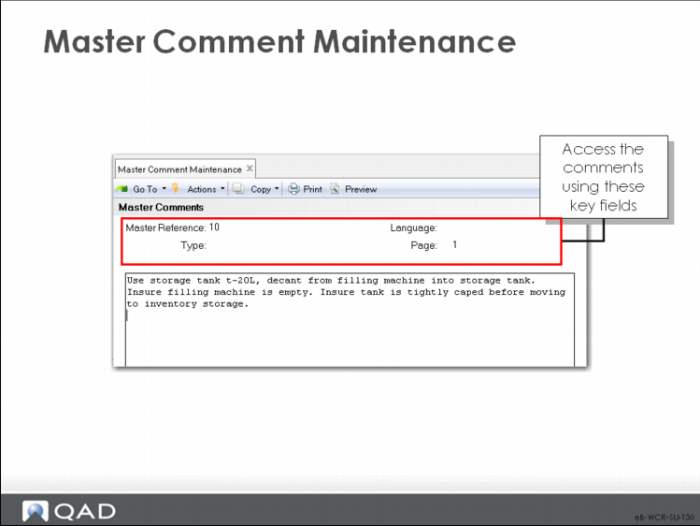
Master Comment Maintenance
• Master Comment Maintenance stores up to 99 pages of free-form text, accessible by:
• Reference code
• Type
• Language
• Page number
• Use this program to create comments and procedures for your operations
Note: This function can be called from within Routing Maintenance by operation.
Routings
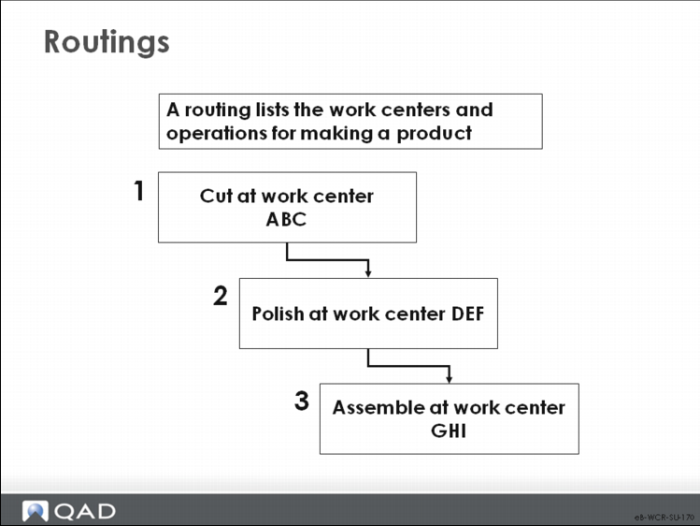
Routings define the set of operations required to manufacture a product, with the work centers, machines used, the sequence of operations, the tools, the standard hours, and set up and run times.
Example Routing
The operations in the routing can be custom made or can be standard operations.
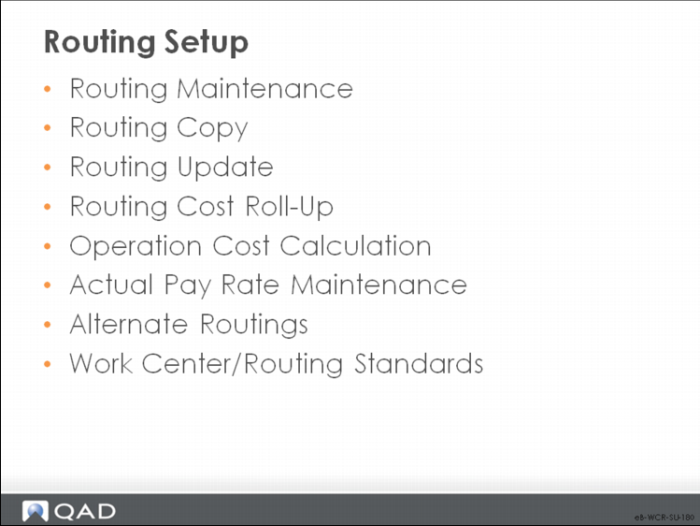
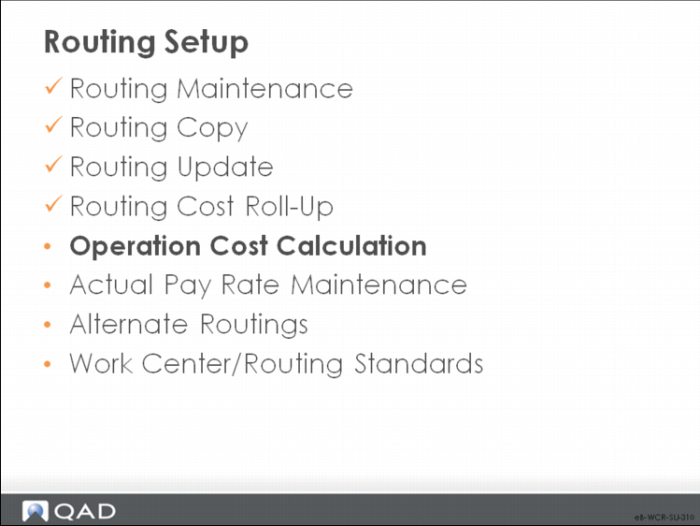
Routing Setup
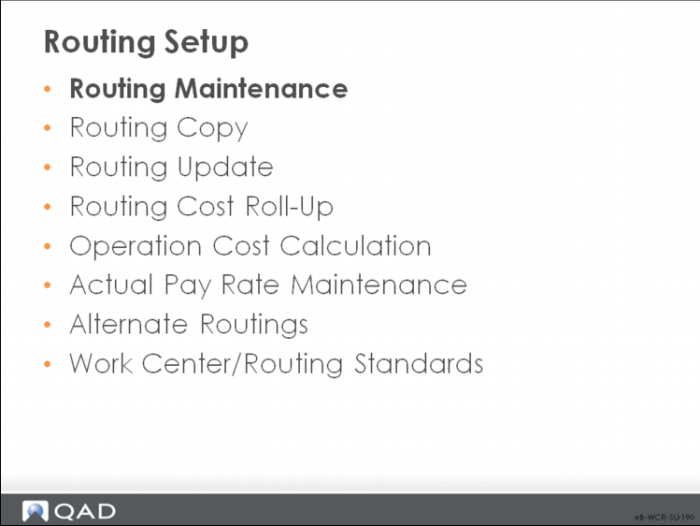
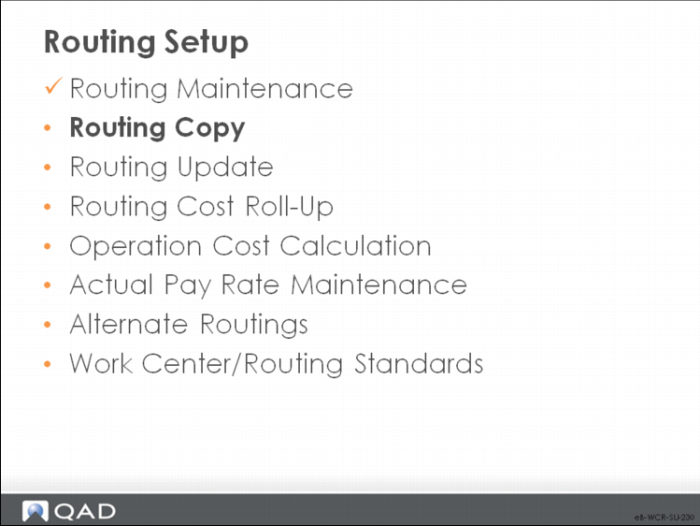
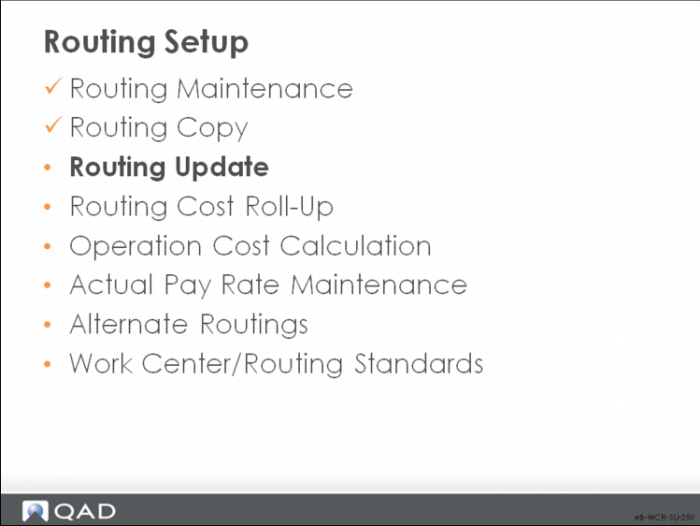
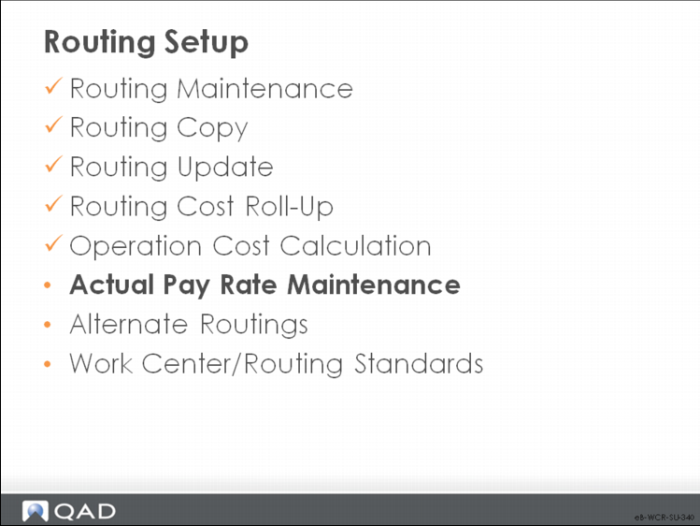
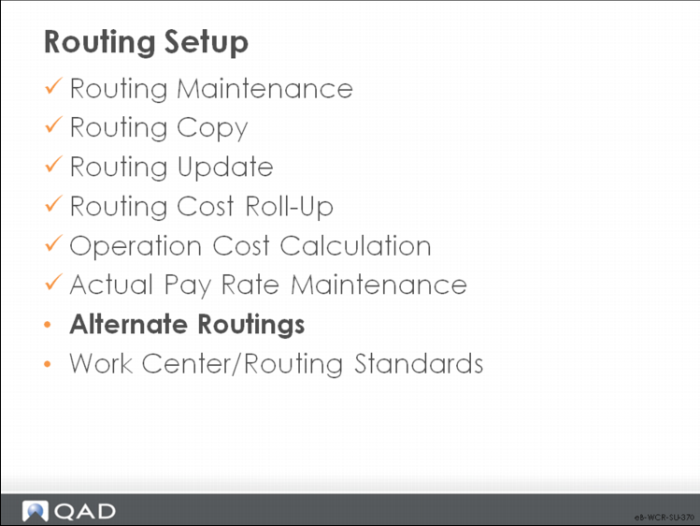
Routings are important and complex elements in QAD Enterprise Applications; the diagram shows the programs for their development and maintenance.
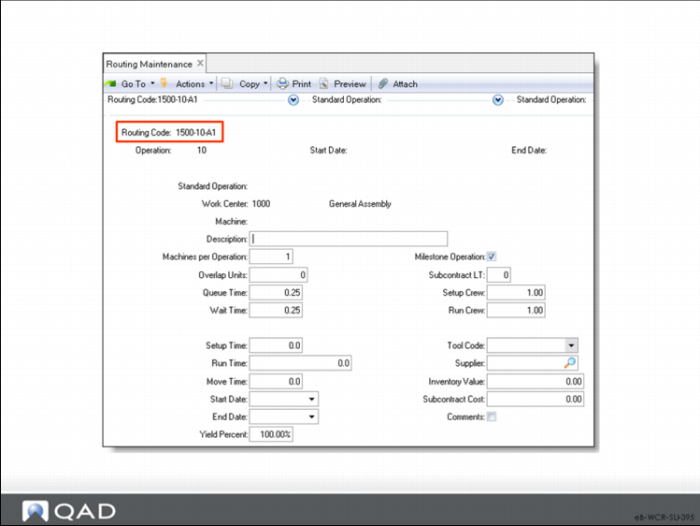
Routing Maintenance
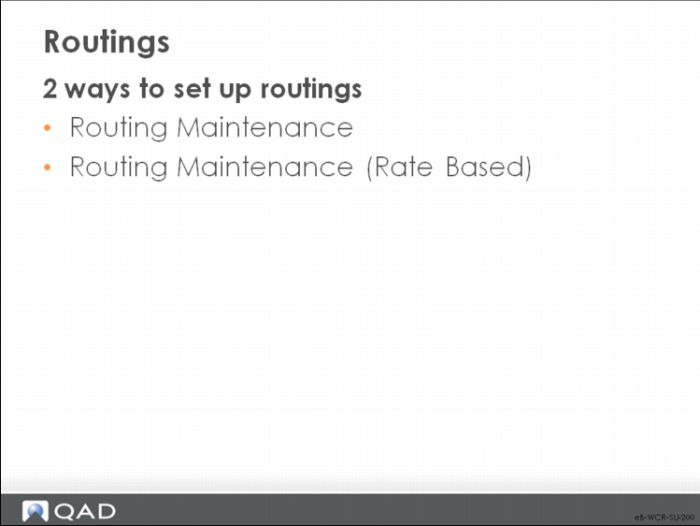
Types of Routings
• You have two ways to set up routings:
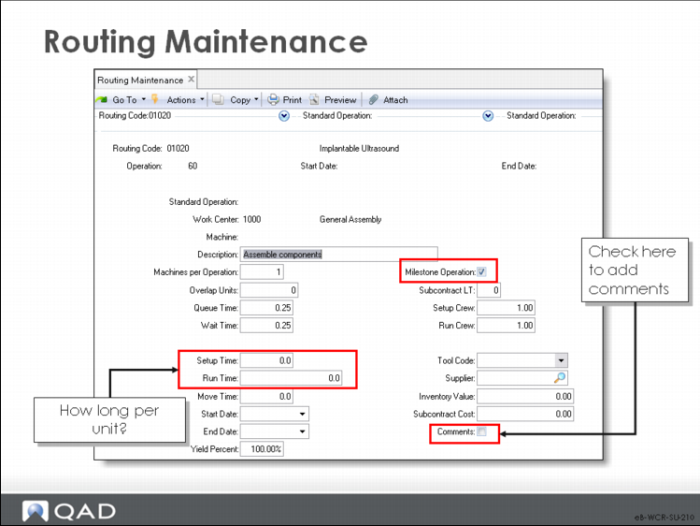
• Routing Maintenance requests the time to produce one item
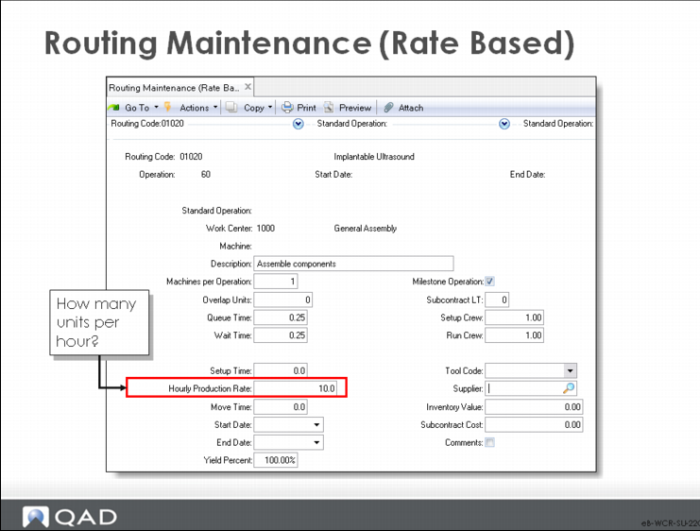
• Routing Maintenance (Rate Based) requests how many items per hour
Routing Maintenance
Each routing or process consists of one or more operations.
Field Definitions
Most of the fields contain default values from the work center or from standard operations. Here we cover only those fields unique to this screen.
Routing Code
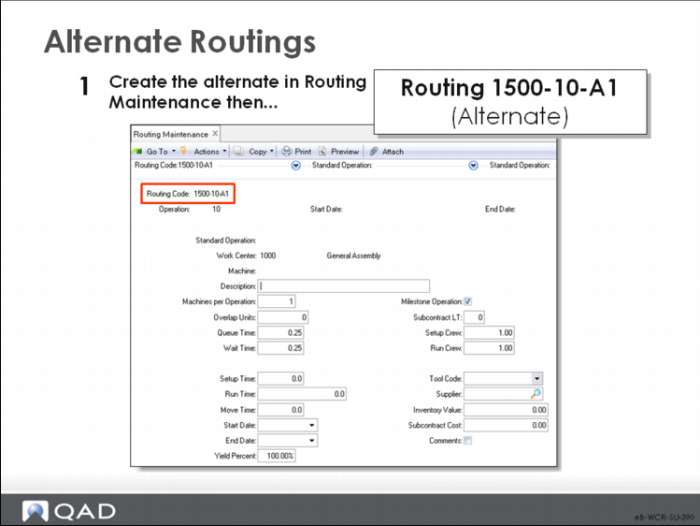
This code usually matches the item number of the manufactured item, but it can be different for alternate routings or for similar routings or processes at different sites.
When it is different, you attach the routing code to its product in Item Planning Maintenance or Item-Site Planning Maintenance.
Operation
Operation numbers identify steps within a specific routing code. Each routing or process includes a series of steps. Routing operations are accessed whenever a work order is created and printed. Operation information can be changed on any work order
To report labor, enter an operation number. At least one operation is required to process repetitive labor feedback.
If you delete an operation from a routing, also close any outstanding cumulative orders using the routing in the repetitive module. This action prevents reporting labor against the operation.
• Number operations by 10s or 100s, so you can add new steps without renumbering existing operations. If you have operations 10, 20, and 30 and another operation is required after operation 20, it can be entered as operation 25, for example
In a repetitive environment, this operation number is referenced in the product structure to show that the item is backflushed from that operation.
Start Date/End Date
Routing steps can be defined as effective over a period. Starting and ending effective dates define that period. You enter the start date at the top of the screen and the end date at the bottom. These dates are inclusive and cannot overlap.
You can leave either or both fields blank
Using effective dates enables you to phase in engineering changes and maintain history on-line.
Nonblank start and end dates determines when to include and when to exclude this step on the routing. Functions that reference the routing always use the routing steps in effect on the current date. Most reports and inquiries can be selected for a specific effective date
To switch one step for another, add the new step and give it a start date in the future. Then specify the end effective date for the existing step as the day before the new one is to take effect.
Standard Operation
• You can enter a standard operation here when you create the routing, but after that time the field is protected and you cannot modify it.
Run Time
This value is the time required to manufacture one unit. Routing Maintenance (Rate Based) requests how many units can be produced per hour.
Routing Maintenance (Rate Based)
Use this program to create routings with run time expressed in units per hour. Except for this value, it is the same as Routing Maintenance.
Routing Copy
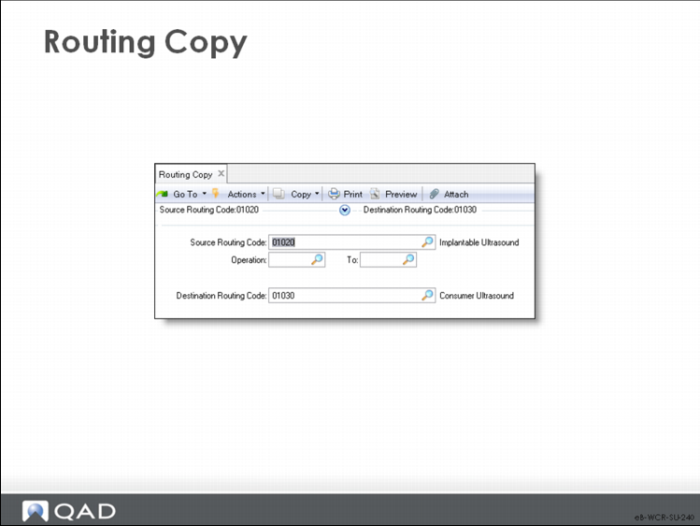
With this program, you can create a routing by copying another one. This function is useful when items share similar operations or when creating alternates.
Routing Copy
Source Routing Code
The routing you want to copy.
Operation/To
You can specify a range of operations or leave these fields blank to copy all operations.
Destination Routing Code
The routing or process code you are creating. The destination routing or process does not have to be a valid item number.
Note: Protect this feature with a password.
Routing Update
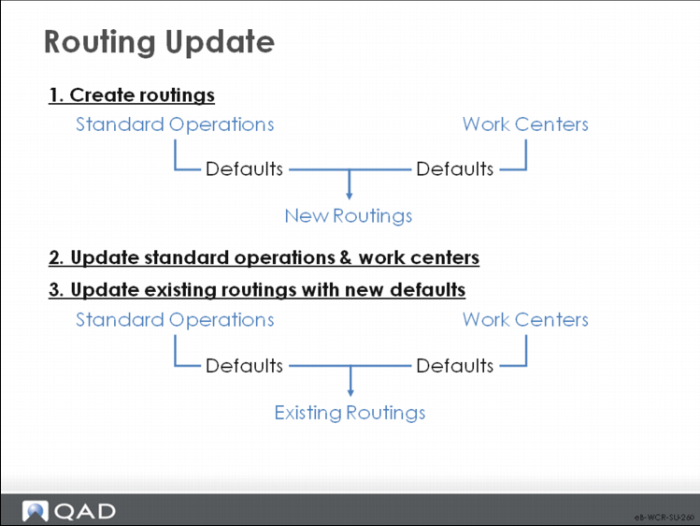
This update can help you maintain existing routings when standards change; it updates all or a range of routing and work center data.
This program updates existing routings with any new default data from standard operations and work centers. Run it only if standard operations or work center standards change.
For example, an engineering change order modifies the standard time and temperature for a heat treat cycle. Hundreds of items use the standard operation heat treat cycle. Update the Standard Operation record, then run this Update transaction. All routes using this standard operation are updated to the new time and temperatures.
Note: This update overrides any changes made to routings that use the default information. Protect this feature with a password.
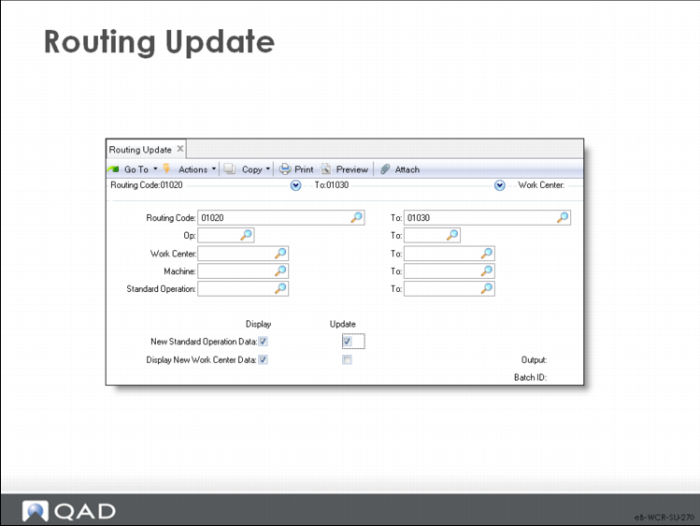
Routing Update Criteria
Routing Code/Op/Work Center/Machine/Standard Operation
Use these selection criteria to limit the routings to update.
The program produces a report. By specifying No to update, you can produce a report without updating; use this report to verify what you are doing, then update.
Display/Update, New Standard Operation Data/New Work Center Data
Use these fields to control the function.
The report this function produces compares the operation information to the standards and prints an asterisk whenever they do not match.
Set Display to Yes to include the information on the report. To review only, set Display to Yes and Update to No. After going over the report, you can set Update to Yes and rerun to effect the changes.
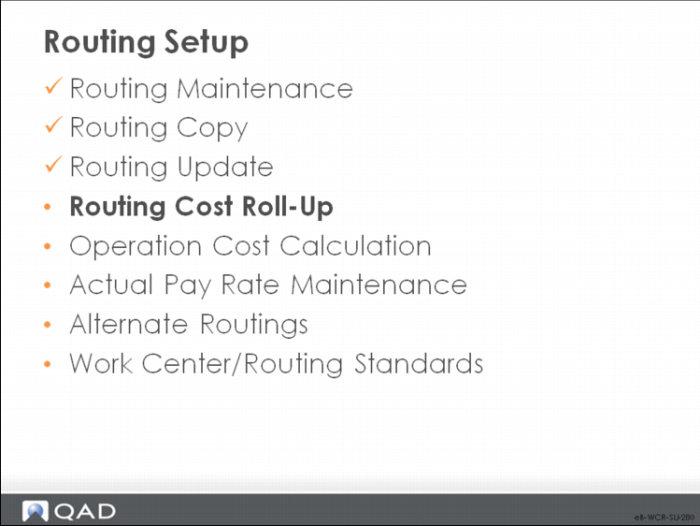
Routing Cost Roll-Up
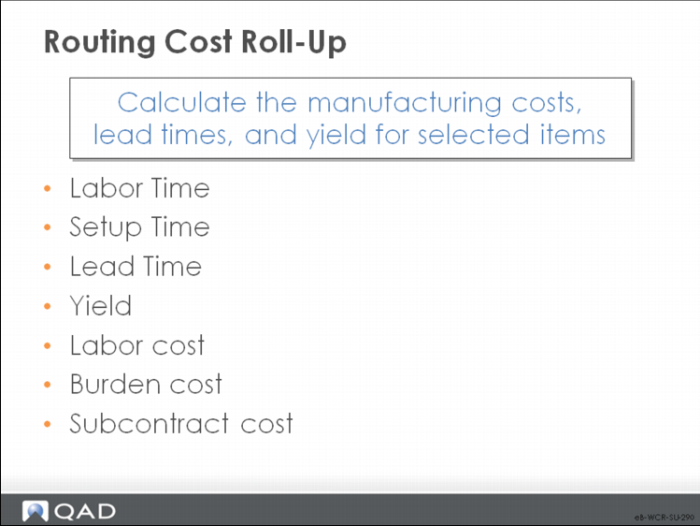
Each routing or process describes the steps required to make this item, including:
• Where performed (Work Center)
• How long (Queue Time, Setup Time, Run Time, Wait Time, and Move Time)
• The expected Yield% at each operation
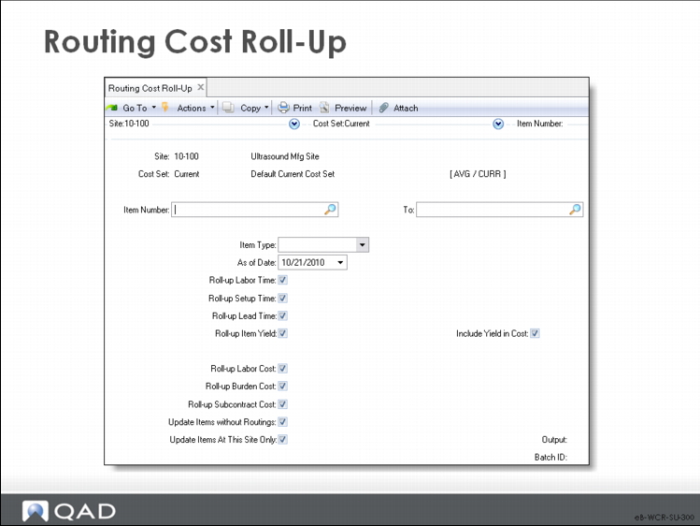
Cost roll-ups use this information to calculate the manufacturing costs, lead times, and total yield for the item
Note: Normally this function uses the current or simulated cost set.
Discussed in Training Guide: Product Costing and Cost Management.
These elements are used in calculating costs, yields, and lead times.
Routing Cost Roll-Up
This function calculates this-level costs. It can take a long time to process.
Note: Always run this function before Product Structure Cost Roll-Up when establishing standard costs.
Operation Cost Calculation
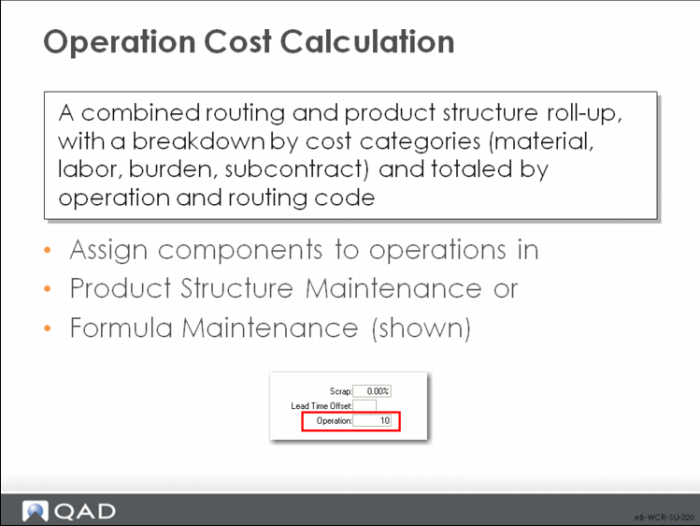
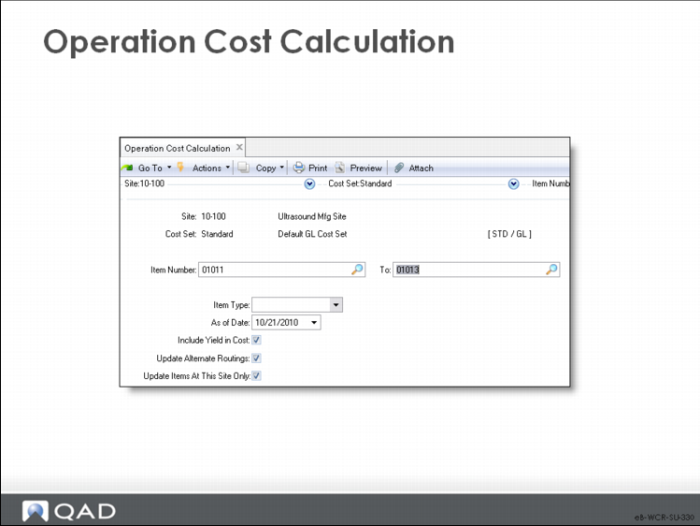
Operation Cost Calculation does a combined routing and product structure roll-up, creating a separate operation cost broken down by cost categories—material, labor, burden, and subcontract—and totaled by operation and routing code. This calculation does not have a direct GL effect.
Operation Cost Calculation
• This calculation does not affect item costs
• Operation Cost Calculation relies on accurate item costs, routings, and bills
• The resulting operation costs are used by:
• Repetitive Scrap Transaction to value scrapped items
• Repetitive WIP Cost Report to value WIP
Actual Pay Rate Maintenance
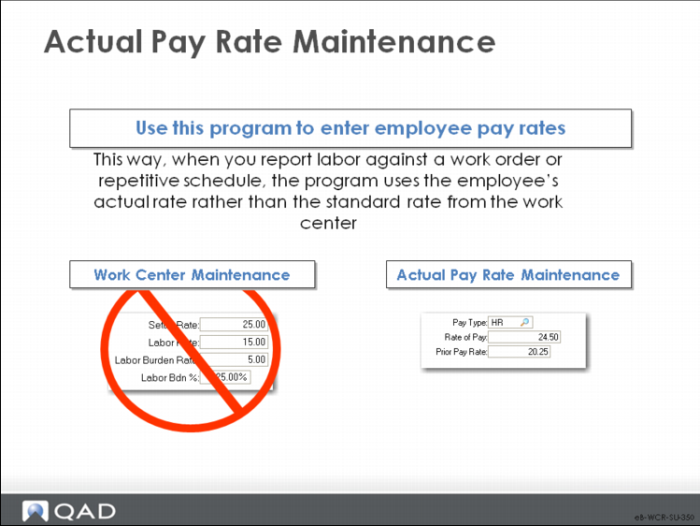
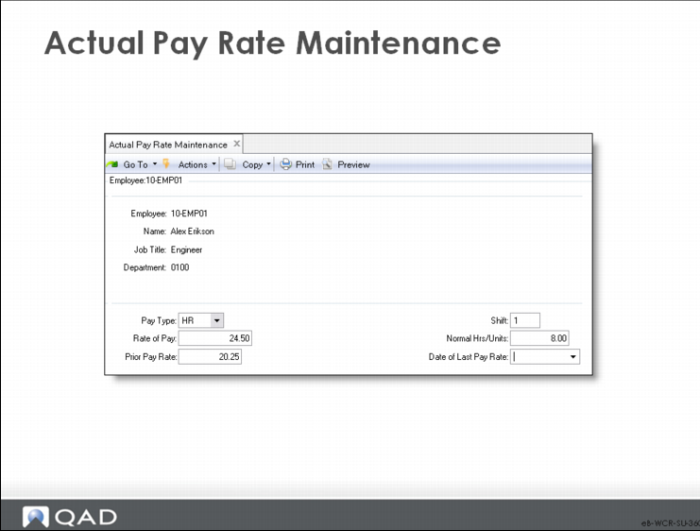
• You can, optionally, enter pay rates in this program for use in work cost calculations
• You can also use it to calculate labor rate variance
Labor reporting programs such as Labor Feedback by Work Order and Repetitive Labor Transaction use the rates you enter here to calculate variances.
Alternate Routings
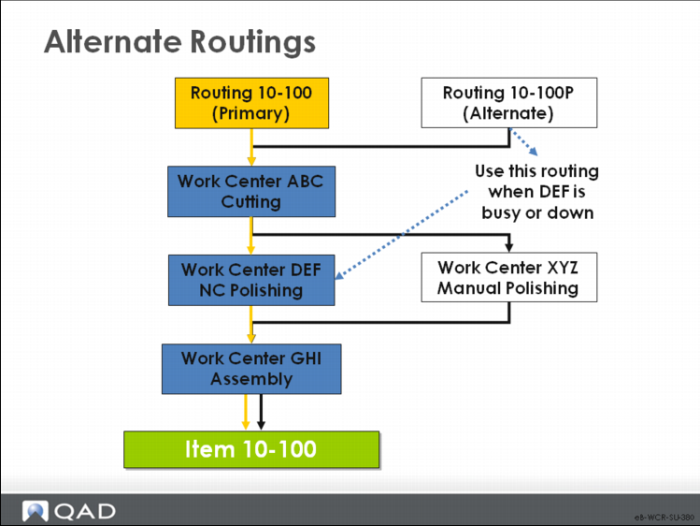
One item can be made different ways, using different operations, work centers, machines, or different components. Each of these variations is called an alternate routing.
One of the more common uses of an alternate route is in the case of an alternate product structure. Often the use of alternate components or materials requires the use of alternate operations. Other uses include alternate work centers, machines that require more time, or the use of subcontract operations to deal with capacity issues.
An alternate route can also be used as a set of default operations. For example, in cutting slacks of a specific size the route does not care what color the material is or often what type of material is being cut.
Alternate Routings: Procedure
Often, routings are named the same as the items they produce.
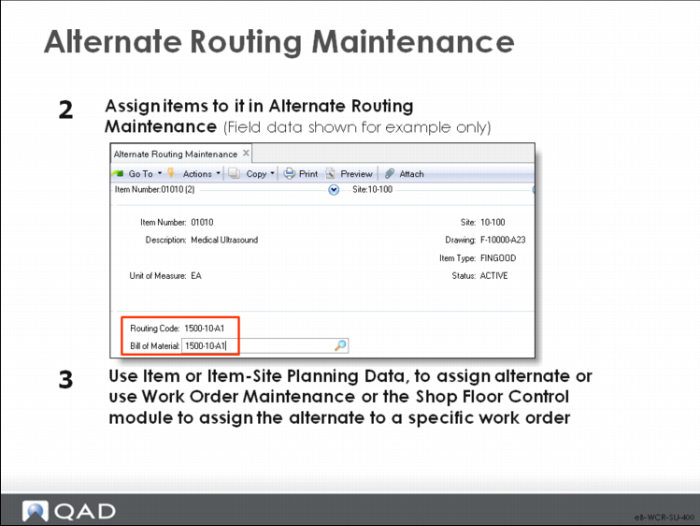
Alternate routings have a name that does not match any item. You assign items to the routing in Alternate Routing Maintenance, then actually use them in Work Order Maintenance or Shop Floor Control to override the item’s usual routing with the alternate. An alternate route can also be assigned as a default for an item in Item Planning Maintenance or Item Site Planning Maintenance.
Discussed in Training Guide: Shop Floor Control.
Alternate Routing Maintenance
In this function, you assign items to the alternate routings created in Routing Maintenance or Process Definition Maintenance. MRP and manufacturing orders always use the standard Routing Code and BOM/Formula associated with the item in Item Planning Maintenance or Item-Site Planning Maintenance as do the costing functions
• You can manually override the Routing Code and BOM/Formula on any work order to specify the use of any approved alternate
• If an alternate routing is chosen, the appropriate product structure or process is automatically attached
Item Number
The item number this alternate routing or process relates to. The item code cannot be a base process (an item with a Co-Product/By-Product structure)
Site
The site that uses this alternate routing or process. The same alternates can be associated with more than one site.
Routing Code
Identifies a routing or process that can be used as an alternate method for producing this item/product. Only predefined alternate routings or processes can be referenced on manufacturing orders for this item at this site.
Bill of Material
A code identifying the product structure or formula (bill of material) that is used when this alternate routing is used to produce this product. When this alternate routing is selected for use on a manufacturing order, the system automatically selects this alternate bill. If this field is left blank, the default is the standard bill associated with the item.
Work Center/Routing Standards
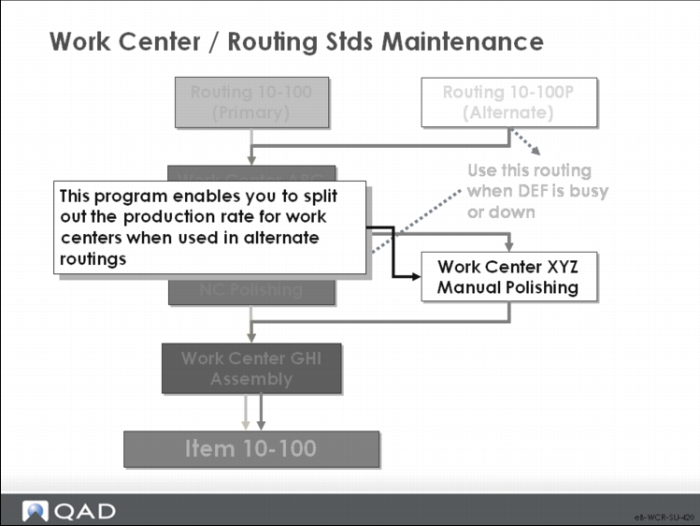
Routings and process definitions identify the work center where each operation is normally performed, but the work can be done at several work centers.
Work Center/Routing Stds Maint enables you to establish different production rates for the various alternates and items manufactured in them.
This cross reference is used for repetitive module efficiency reports only
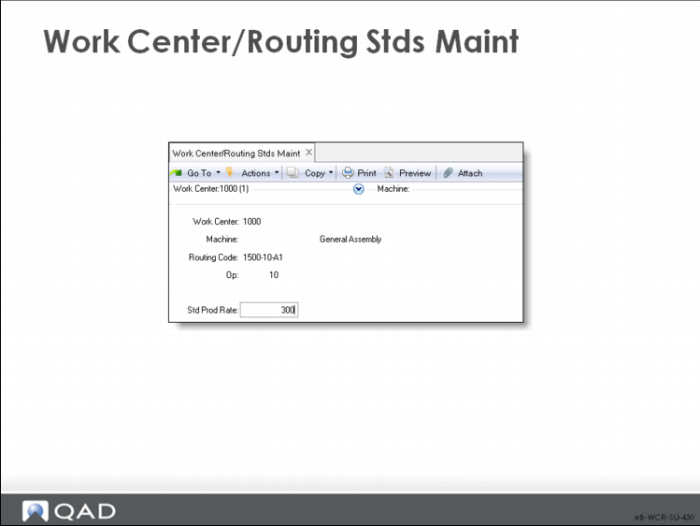
Work Center/Routing Stds Maint
Standard rates can be reviewed when determining which work center to use. Later, after production reporting, efficiency reports use the standard production rate defined for the work center where the work was done rather than the standard rate for the work center identified on the routing.
Note: Standard production rates are used only in Repetitive (18), not Shop Floor Control (17).
Work Center/Machine
The alternate work center and machine for this routing code and operation.
Routing Code
The routing code this standard run rate applies to.
Op
The operation number to which this standard run rate applies. A routing code and operation number uniquely identifies each operation step.
Std Prod Rate
The standard production rate for this routing operation when it is processed on this work center and machine. Production rate is expressed as the number of units per hour that can be processed (excluding setup time). The unit is the item/product unit of measure.
Processes
• A process is, like a routing, a systematic sequence of steps producing a specified result
• Processes add value by mixing, separating, forming, and/or using chemical reactions; they can be done in either batch or continuous mode
Process Definition
You set up processes as you do routings.
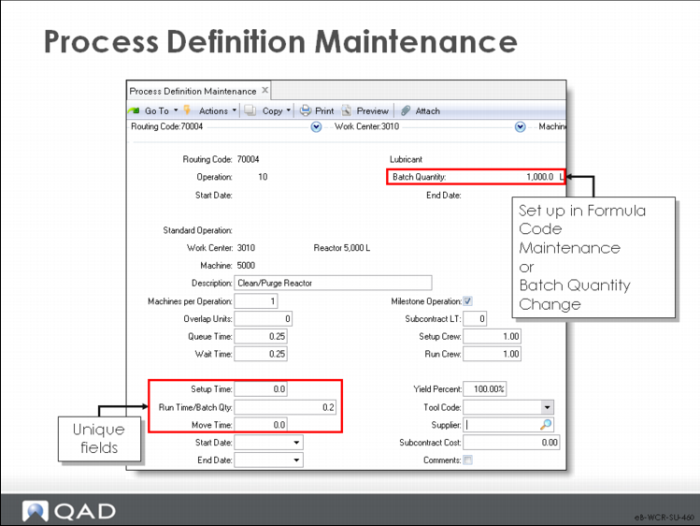
Process Definition Maintenance
The fields in this screen correspond to the fields in Routing Maintenance.
Run Time/Batch Qty
The time (in decimal hours) it normally takes to process one batch at this operation. Run times are used to calculate item/product cost and lead time, and by planning to schedule operations.
Process operation run times are always entered in terms of the batch quantity for the item/product. Set this first using Batch Quantity Change because the system uses this value to calculate the run time per unit and stores this value along with the batch quantity.
When the Batch Quantity Change function is run, runtime per batch is automatically recalculated based on the new batch quantity and the new batch quantity is recorded.
Before setting up the process, you can use Formula Code Maintenance to define batch quantity, but afterwards, use Batch Quantity Change.
Setup Time
The standard time, in decimal hours, it takes to prepare this work center to carry out this operation, independent of quantity
Run Time/Batch Quantity
The time, in decimal hours, it normally takes to process one batch at this operation. Run times are used to calculate item/product cost and lead time, and by planning to schedule operations
Note: QAD Enterprise Applications treats setup time as fixed and run time as variable.
In process industries, the reverse can be true, as in heating a product to a specified temperature; the heating time can vary depending on quantity, but the dwell time remains the same.
In this case, you can create one operation with a setup time of zero and the run time set to gallons times the time required for heating. Then you create a second operation with setup time set to equal the dwell time and the run time set to zero.
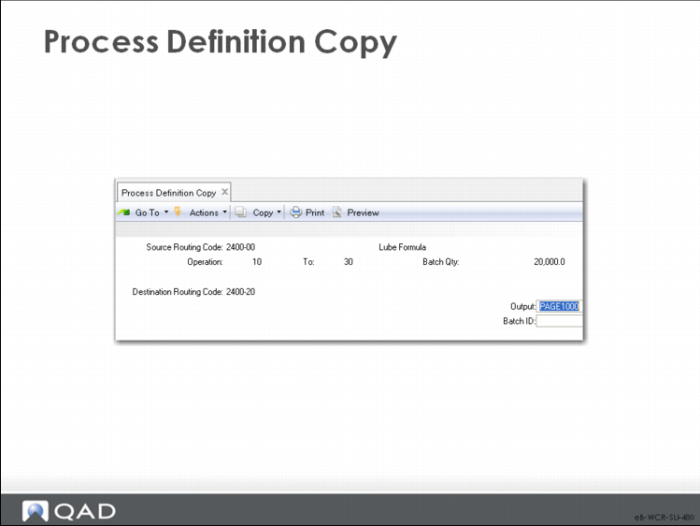
Process Definition Copy
Process Definition Copy creates a process definition by copying another one. This function is useful when items share similar operations or when creating alternates.
Source Routing Code
The routing code from which operations are copied.
Operation/To
Select a range of operations to copy. Leaving these fields blank copies all operations.
Destination Routing Code
The routing code into which selected operations are copied.
Process/Formula Maintenance
\
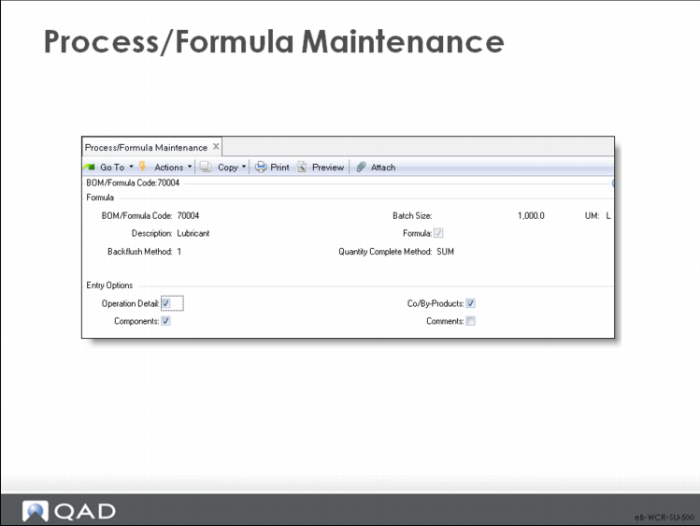
Process/Formula Maintenance allows you to enter formula, batch, and process information by operation. It is common in the process industry to have process sheets that define both the steps of the process and the materials that are used at each step in a single document. This function allows you to do the same thing.
Formula/BOM Code Screen
BOM/Formula Code/Description
Enter the code and description.
Formula
Indicates whether this item is a formula or a product structure.
Yes: This item is a formula. Normally only BOM codes flagged as formulas are listed on Formula reports and inquiries.
No: This item is a product structure, normally used in Product Structure functions or as a base process for Co-Products/By-Products.
Backflush Method
Provides the calculation basis to backflush components of the base process based on the received quantities of the Co-Products/By-Products. Value can be 1 or 2.
Backflush Method 1: The backflush (base process) quantity is calculated from the receipt quantities processed for all of the Co-Products/By-Products. This method calculates the backflush quantity based on the following:
• Quantities received for each of the Co-Products/By-Products
• Unit-of-measure conversion factors to convert Co-Product/By-Product quantities into base process units
Use method 1 when the quantity for a batch is directly related to the sum of its output. For example, for a process that sorts fruit into different sizes and grades, the batch quantity can be calculated from the total amount of fruit processed for all sizes and grades. This method is appropriate when there is greater variability in the output percentages for the various products
Backflush Method 2: The default backflush quantity is the order quantity for the base process work order. You can change the backflush quantity to reflect the actual quantity processed for a batch. Use method 2 when the batch quantity is closely related to the expected output of a particular co-product.
For example, for a process that makes ice cream, the batch quantity can be calculated from the amount of ice cream processed. Any by-products, such as waste water, would not be necessary for the calculation of the batch quantity,
Operation Detail/Components/Co/By Products/Comments
You determine which screens to display by entering Yes or No.
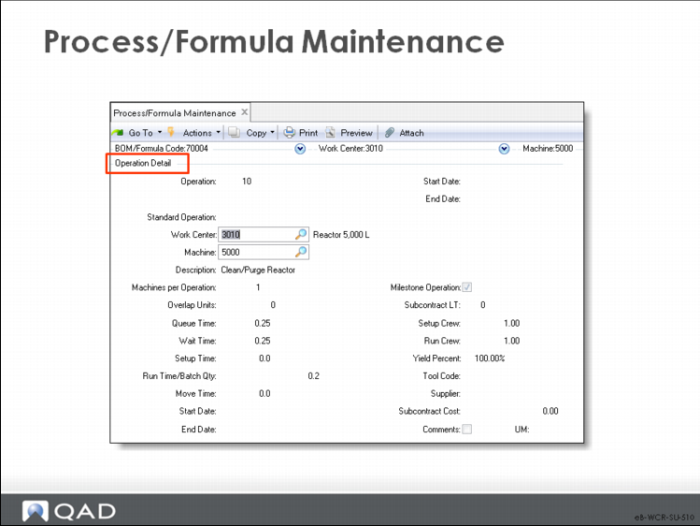
Operation Detail Screen
• The Process Operation Detail records information about the operations associated with the formula's process definition; it is the same as Process Definition Maintenance
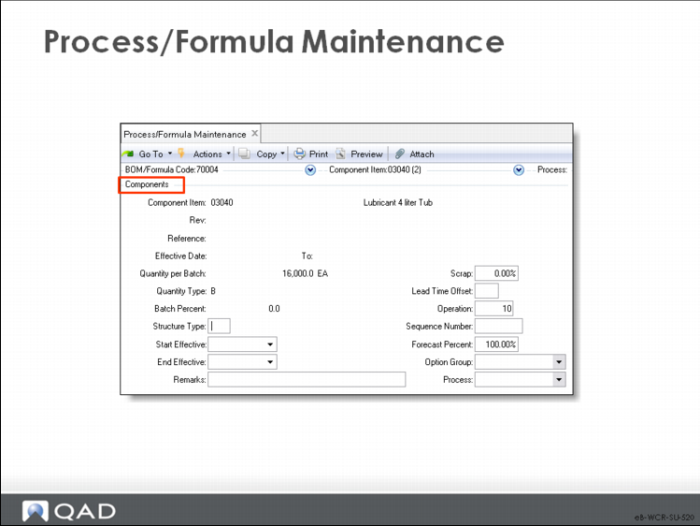
Components Screen
• The Formula Components screen records information about the components used at each operation; it is the same as Formula Maintenance.
Discussed in Training Guide: Product Structures and Formulas