Comparing Bills of Materials Side-by-Side with Vertical Tab View
You can quickly compare two bills of materials side-by-side. To do so:
1 From the Applications menu, open Product Structure Maintenance.
2 Open Product Structure Maintenance again. You now have two tabs for Product Structure Maintenance.
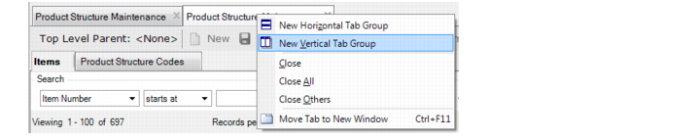
3 To view the two tabs of Product Structure Maintenance side-by-side, right-click on one of the tabs and choose New Vertical Tab Group:
(You can also drag one of the tabs to the right to view the options.)
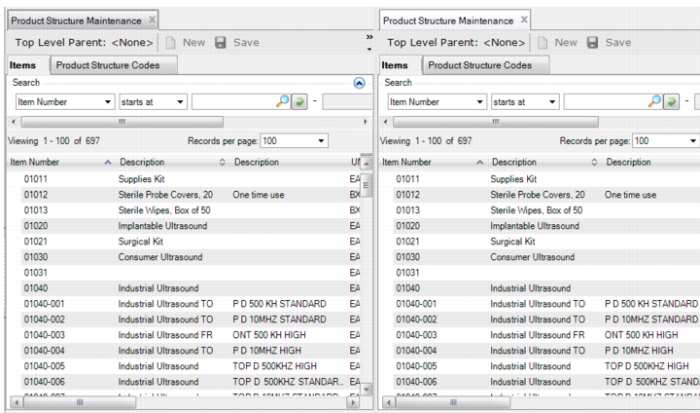
You now have a vertical, side-by-side view: