Menus, Messages, and Labels
The MFG/UTIL conversion does not convert custom changes to this data. However, you can generate reports that display all the custom changes you have made so that you can reenter them.
Several reports are available to assist with conversions for custom menus and messages. All of the reports are located on the MFG/UTIL Conversions menu.
Custom Menus and Messages Reports
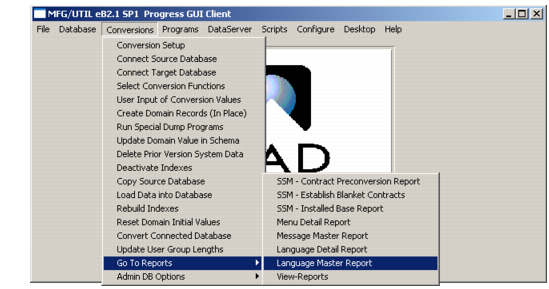
1 In MFG/UTIL, choose Connect to Source Database on the Conversions menu.
2 Connect to the source database and choose OK.
3 Then open the Conversions|Reports menu.
Conversion Reports Menu
4 Select the desired report. The report is generated in the background. The Log Window displays to inform you of the report completion.
5 Close the Log Window.
Viewing Reports
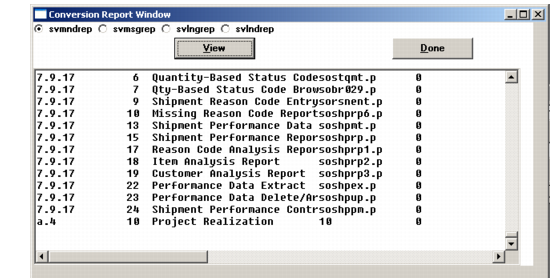
1 Choose Reports from the MFG/UTIL Conversions menu, and choose View Reports. The report viewer displays.
2 Select the report you want to view and press View.
Conversion Reports lists program file names and report names.
Conversion Reports
Programs | Report Names |
svmndrep | Menu Detail Report |
svmsgrep | Message Master Report |
svlngrep | Language Master Report |
svlndrep | Language Detail Report |
3 The report displays in the Conversion Report Window.
Conversion Report Window Showing the Menu Detail Report (svmndrep)
4 To view other reports, choose a new report and press View. Otherwise, press Done to exit.