Modify the Delta Structure Files
1 Launch MFG/UTIL on your QAD Standard Edition database server.
2 Select Edit Structure File/Create Database from the Database menu. The Edit Structure File screen displays.
3 Use the Browse button to locate the appropriate delta structure file for your release. By default, the files are located in QADInstallDir\inplace\progress. Select OK to open the file.
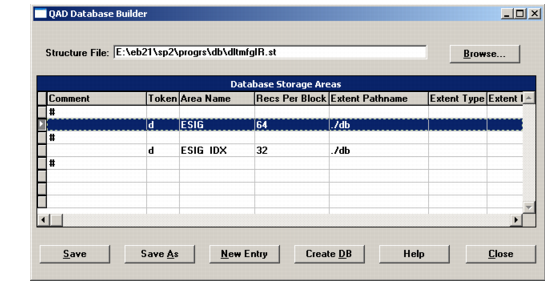
Delta .st File Opened for Editing
4 Tab to or select the first storage area listed. In
Delta .st File Opened for Editing, the first area is selected, and is named ESIG. Double-click or press Enter to open the storage area definition.
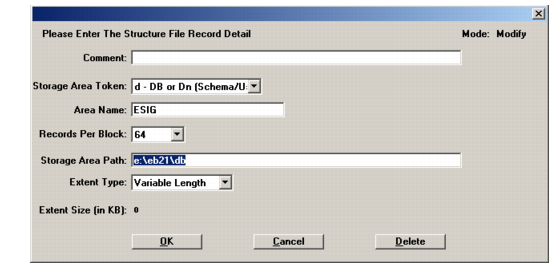
5 In the storage area definition, modify the Storage Area Path value to point to the target databases. This is typically QADInstallDir\db. Choose OK to save the change and return to the editor screen.
Storage Area Definition Editor
6 Repeat steps
4 and
5 for each storage area in the
.st file.
7 When you have modified all storage area paths, choose Save to save the file, and then OK to exit the editor.