Connect Source Database
Remember that for an in-place conversion, the source and target databases are the same. During this conversion process, MFG/UTIL requires different logical names for the conversion database at different times. In addition, MFG/UTIL disconnects the database after each step to ensure the changes are written to the database and all lock files are successfully closed. Therefore, you will be asked to connect to the conversion database using different logical names at multiple times through the conversion process.
1 Complete the Connect Database screen using the screen example and field descriptions below.
Connecting the Source Database
Physical Name
Enter the name of your source production or other database; for example, mfg85prd. The European Accounting database is called qadepm or largo by default.
Logical Name
This should be source.
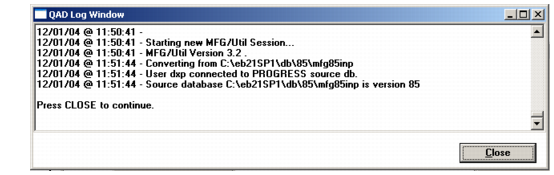
2 Choose OK. The source database is connected and the MFG/UTIL Log Window displays showing a successful database connection.
QAD Log Window after Source Connection
3 Choose Close.