Associating Users With a User Group
After you have created a user group, you can add users to the group you created. You do this by associating users with a group or groups with a user. To associate users with a group, open the Group screen using the option GU, select the group, click the green arrow, and choose Group Users.
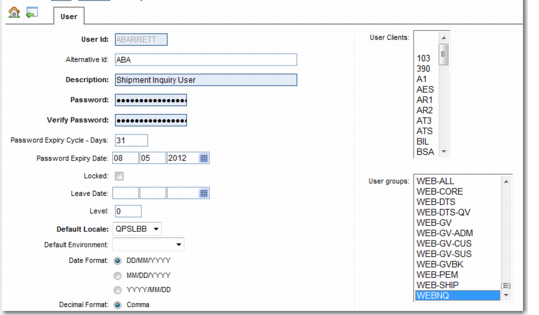
To associate groups with a user, open the Users screen, which is on the same menu as Options. Alternatively, you can use the QuickPath shortcut US. Add the users to the group, as displayed in
Add Users to a User Group.
Add Users to a User Group