Creating the Permission
The permissions option, ZP, allows you to associate the WEBNQ function group with the WEBNQ user group. To create the permission, you need to use the Windows UI.
1 In the fast path field, type ZP.
2 Click the Create a new entry button.
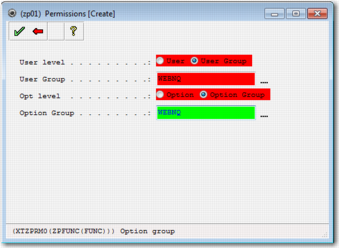
3 In the record that is displayed, select User Group and set it to WEBNQ.
4 Select Option Group and set it to WEBNQ.
Create Permission
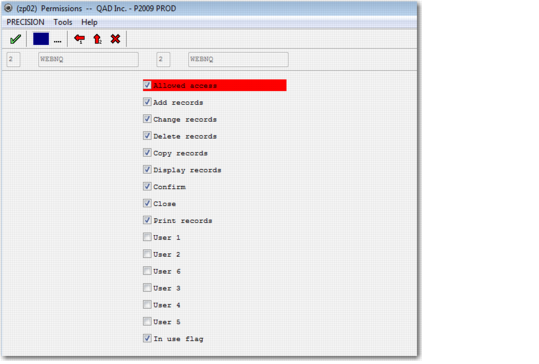
5 Select the check mark and another screen is displayed. For user group access to Shipment Inquiry, ensure that Allowed Access and Is Set are selected.
Note: The other permissions fields control what a user can do on a page at a more granular level. For the shipment inquiry URL, the fields do not have an effect on user access. However, for other options, these fields are important. See
URL Dependencies. You can also edit these fields in the Web UI.
Specify User Permissions
6 Click the green check mark. Your new permission record is displayed in the list.