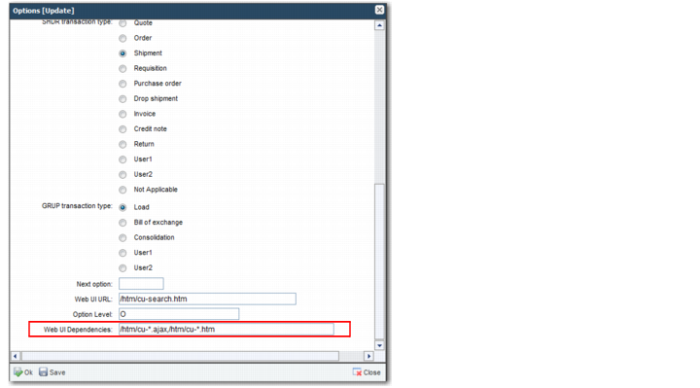
URL Dependencies
An option points to a primary URL that is used to launch the screen. In addition to the primary URL, there may be a number of other URLs that are used to allow the user to complete tasks on the screen. These URLs must be invoked directly by the user on the primary URL screen. The user requires permission to invoke these URLs. Typically, these URLs are associated with the screen option as a URL dependency. Therefore, when a user is given permission to the options, the user also has access to the necessary URLs.
Many of these URL dependencies are AJAX (Asynchronous JavaScript and XML) calls. If an option record does not also specify the dependent URLs, nothing happens when a user triggers the URL request from the main URL page. To avoid this scenario, dependent URLs are included in the option record.
For example, the CU option enables you to run the currency maintenance screen. On this screen, there are sub-options enabling you to perform operations on the currencies, as displayed in
URL Dependencies. You can list the dependencies for an option in a comma-separated list. You can also use the wildcard * character to associate many dependent URLs with an option. It is recommended that dependencies point uniquely to one option.
URL Dependencies
When you run the CU option, the toolbar on the page enables the user to add, delete, copy, and edit records. If an option contains this type of sub-option, the fields in
Specify User Permissions become important. These fields specify the sub-options that the user can access and run. For example, you may want a user to be able to add currencies, but not to delete, copy, or update them. You can set these permissions by selecting only the appropriate fields in the permissions record.