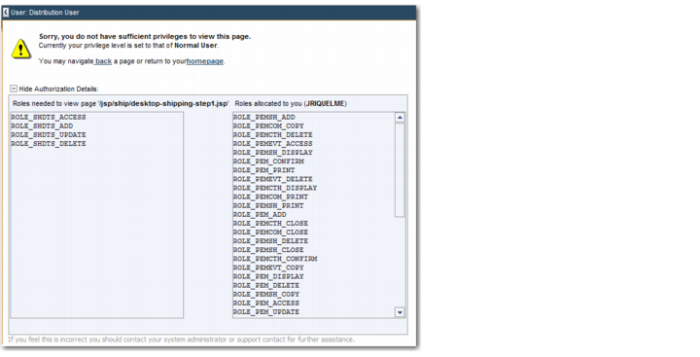
Sometimes, you may get a message that you do not have sufficient privileges to view a page when accessing a URL you believe you have permissions for. This might happen when an option has not been added to the permission record for a function group. By expanding the authorization details for the page, you can check which options are required for accessing the URL. You can also review the roles that are allocated to you. You can then add the required option to gain access.
URL Dependencies indicates that the option SHDTS is not in a role that this user has permission to.