Creating a Shipment Type
Shipment types are subcategories of transaction types. To create a shipment type, perform the following steps.
1 Go to the ZS option in the Windows UI.
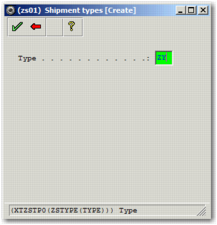
2 Press F6 or click the Create a new entry button in the top right corner. The Shipment types [Create] window appears. Enter a two-character code for the new shipment type in the second Type field. Click the green check mark in the top left corner.
Shipment Types [Create] Window
3 The Shipment types window appears. Fill in the fields, specifying what workflow the shipment type is associated with. The workflow type and the transaction type fields automatically populate based on the workflow code you choose.
4 Click the green check mark. The Shipment types Sub options screen appears.
5 Click the green check mark. The Shipment types [Create] window appears.
6 Click the red back arrow to return to the list of shipment types screen.