Creating and Modifying Rulebooks
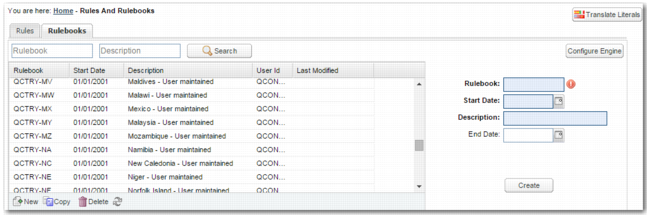
In the RULES option, on the Rulebooks tab, the rulebooks grid displays all rulebooks, and enables you to search for a particular rulebook. When you select a rulebook, you can update the rulebook description and end date by updating the fields to the right of the grid and clicking Update.
To create a new rulebook, click the New button below the grid, complete the fields to the right of the grid, and click Create.
Rulebooks Grid, Creating a Rulebook
Rulebook
Specify the rulebook name. This field is mandatory.
Start date
Specify the date when the rulebook comes into effect. This field is mandatory.
Description
Add a description of the rulebook. This field is mandatory.