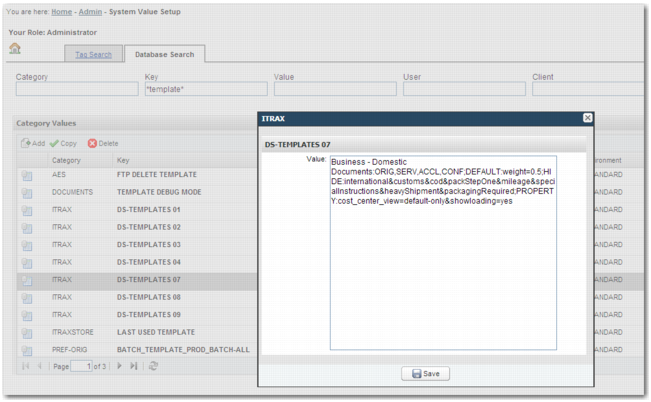
Database Search Tab
Unlike the Tag Search tab, this tab does not display all possible system values. The Database Search tab displays the system values that currently exist in the database. You can search the database using the search fields above the Category Values table. These search fields accept wildcards. The Category Values table displays the same information as the table in the Tag Search tab.
Click the Add icon to add a system value to the database.
Clicking the Edit icon in the Template field displays the system value as a string of text. It does not provide the template format available on the Tag Search tab.
System Value Setup Page, Database Search Tab