Log Information Page
The Log Information page provides you with easy access to log files generated by the PRECISION solution. The page supports the following use cases:
• A problem is reported to Precision Support. As part of the troubleshooting process, Support reproduces the problem. To access the resulting log file for review, the support analyst can run the Log Information page.
• A user at a customer site wants to add the log files to a zip file and send them to Precision Support for analysis. The user runs the Log Information page and downloads all log files.
To access the Log Information page, run the option LI by using the QuickPath field. Alternatively, you can access the page through the URL .../precision/htm/loginfo.htm.
The page enables you to view or download log files for analysis. To do this:
1 From the Select a Category list, choose the category of log file you want to view or download. The choices are:
• 4GL LISTENER
• JBOSS
• MEMORY
• SERVICE WRAPPERS
• ALL
The files are loaded into the View / Download Logs list.
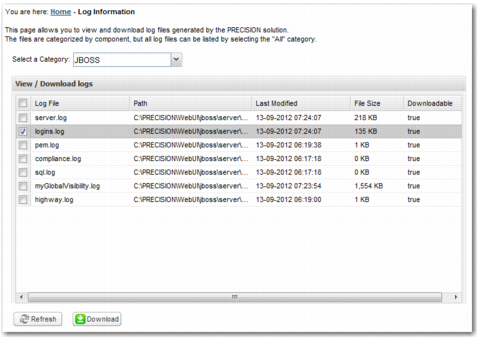
2 To download a zip file of the log files you want, select the files in the list and click Download. You can select all the files by selecting the top check box. You can also download a file by double-clicking it in the list.
3 Open the ZIP archive and review the file.
In the example in
Downloading a Log File, the user has selected the logins log for download.
Downloading a Log File