Home Page
After you log in, you may see a splash page, which provides users with new or important information before they start their work. Typically, however, you are brought directly to your home page. The home page and its appearance also depend on how the administrator has configured your user settings.
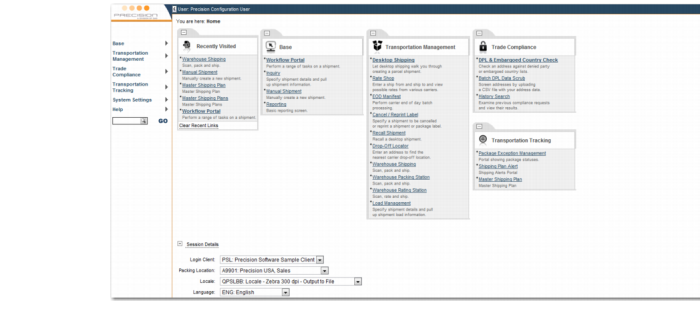
Default Home Page displays the default home page.
The left menu contains links to the main work modules and Web pages. You can also access the modules and pages through the links in the main pane. By default, the main pane also contains a Recently Visited section with links to recently visited pages. The left menu contains a QuickPath field, which allows fast access to a particular page using the option code. Type the option code you require and press Enter or click GO. To view a full list of the options available, click the lookup button. The Session Details information allows you to view the details of your current session.
Default Home Page
On the title bar, your user name is displayed, along with some default links. If you click the arrow next to the user name, the left menu is hidden.
Homepage Title Bar