Workflow Portal
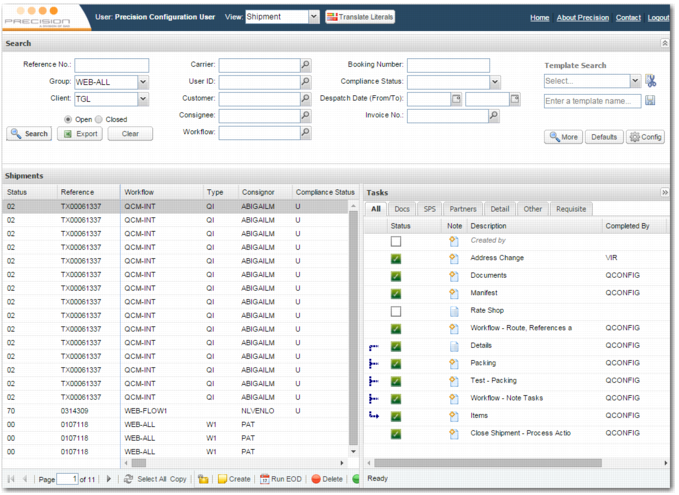
To open the Workflow Portal, on the left menu, choose Base|Workflow Portal. On the Workflow Portal page, you can search for a transaction and work on it. Consider a transaction to be a type of workflow with tasks associated with it. Examples of transactions are orders, shipments, and invoices.
The Workflow Portal can be divided into three main parts:
• View list
• Search panel
• Transaction panel, including the Tasks area
Workflow Portal
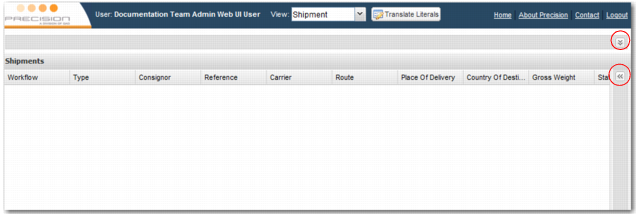
You can hide the Search panel and Tasks area by clicking the double arrow on the top right corner of each of these areas. Click the arrows again to display the areas once more.
Workflow Portal with Minimized Search Panel and Tasks Area.
The administrator configures the appearance of the Workflow Portal, but you can change the appearance by resizing panels, and adding, deleting, or resizing columns and fields. Changes that you make are automatically saved and apply each time you log in.