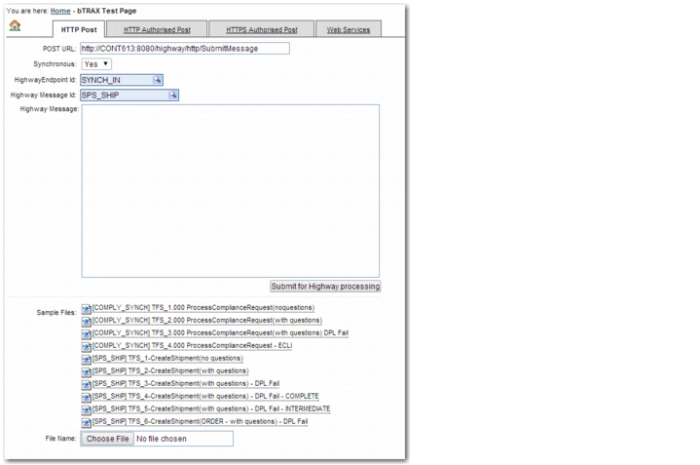
SOA Test Page
To access the SOA Test Page from the Web UI, select System Settings | Testing | SOA Test Page. The SOA Test Page contains a list of sample SPS_SHIP and COMPLY_SYNCH messages that you can use to test SOA compliance. You can use these sample messages as a starting point for configuring your own messages.
To test compliance, select a message and click Submit for Highway processing. A page opens with the XML response message, which contains the results of the compliance check.
The following sections describe the relevant parts of these messages for compliance.
SOA Test Page
Note: Endpoints are installed with the database supplied by PRECISION. When you have started the default listener—COMPLYBB—configured in the Web UI, make sure that it is reading the queue specified in the precision.properties file. The user starting the listener also needs to have permission to each client where compliance is running. For details on how to set up listeners, see the Listeners chapter in Precision Base Web UI Administration Guide.