Packing Location
A Packing Location is a logical area from which you ship packages. It is typically a physical location where the carrier picks up outgoing packages.
To create a Packing Location in the Web UI:
1 Open the partners screen using the NR QuickPath code.
2 To create a Packing Location, click Create.
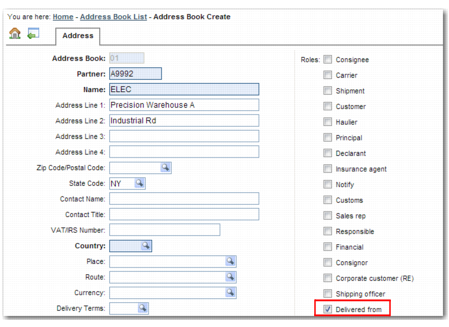
3 Set up a new partner. Ensure that the Packing Location name is related to an Internal ID and contains as few characters as possible, as displayed in
Create Packing Location.
Create Packing Location
4 Select the Delivered From partner role.
5 Select the In Use flag for the partner.