Carrier Services
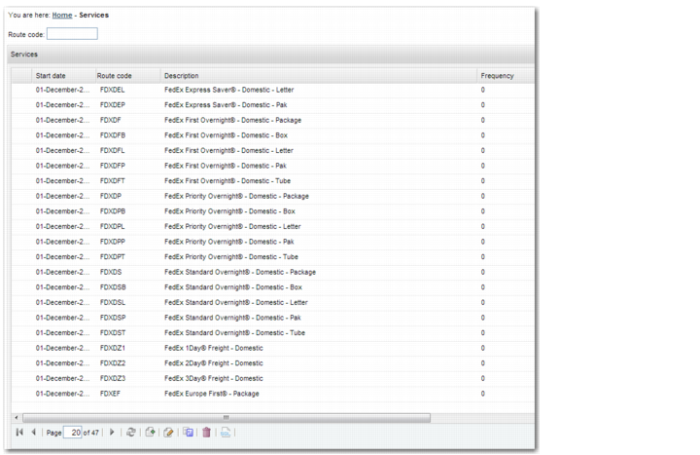
The Routes table contains the different services that the carriers provide. The Routes table in the Web UI is under System Settings|TMS Master Data|Route or by using the QuickPath option RT, as displayed in
Routes Table.
Routes Table
The data you see in this table is supplied by the Precision Content Group as part of an XML/PSL file installation. The relevant fields on the Services create or update screen are:
Route code
This field contains a meaningful service code.
Start date
This date is when the route becomes valid.
Description
Enter a meaningful description of this route; for example, FedEx Priority Overnight Domestic.
Extended Description
This field contains the extended description of the route. Originally, this field contained the service code, the carrier engine program, the type of service, and the alternative code.
Normal transport mode
This field specifies if the service uses ground, air, sea, or some other type of transport.
Alternative Code
Enter an alternative code, which is the interpretation of the route code by the carrier when mapping is being carried out for the EOD process.
Carrier
Enter the carrier that offers the service.
Program
The name of the carrier engine program.
Domestic
If the route is domestic, select this field.