Uploading Transit Times
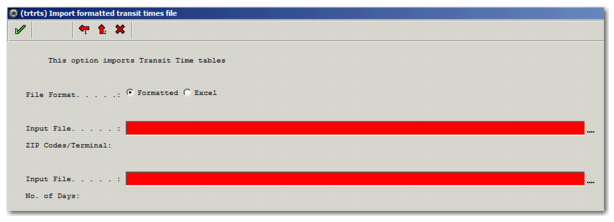
When you have formatted the transit time files provided by the carrier, you can upload them into PRECISION using the Windows UI option TRTRTS, as displayed in
TRTRTS.
Formatted upload is used for files that you formatted with the TRTFMT option. The zip codes/terminal and transit days files must be uploaded simultaneously, which is the general use case in the US.
TRTRTS
Specify the Input files for the Zip Codes/Terminal and the Number of Days files. To upload them into PRECISION, click the green check mark.
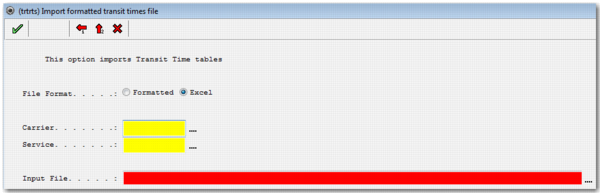
You also have the option of uploading an Excel file, as displayed in
TRTRTS Excel Option. Enter the relevant carrier and service that the transit times apply to and specify the relevant input file.
TRTRTS Excel Option
Records Created on Upload
When you upload a transit time file or files to PRECISION, new records are automatically created.
• In RN, a new rating ID is created with regions and zones, where the format of the rating id is T xxxx, where xxxx represents the name of the service. You can see the number of transit days on the zone record.
• In SE, a new rating ID is added to the service with a sequence of 999999, which is a reserved sequence number automatically generated after the upload of a transit time file.