Products Step
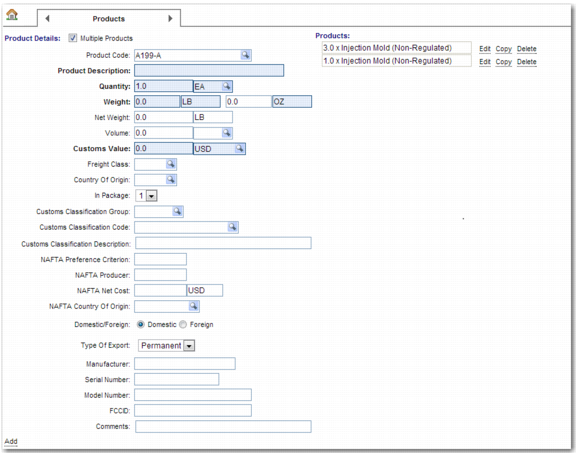
To enter details of the products in the shipment, use the Products step.
Products Step
Skipping the Products Step
Use the system value DTS SKIP STEP 3 if you want to skip the Products step. This system value overrides the selection of the Products step in the DS-TEMPLATES <NN> system value. If you set this system value to CHOICE and create a domestic shipment with the Multiple Packages field selected on the Origin/Destination step, then:
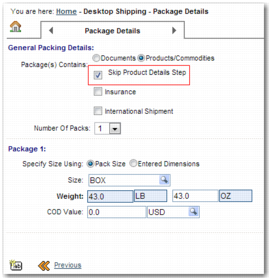
• the Skip Product Details Step option appears
• the Skip Product Details Step is checked on the Package Details step when you select the Products/Commodities option on the Package Details step.
Note: The Skip Product Details Step field only appears for Domestic shipments.
Skip Product Details Step Option