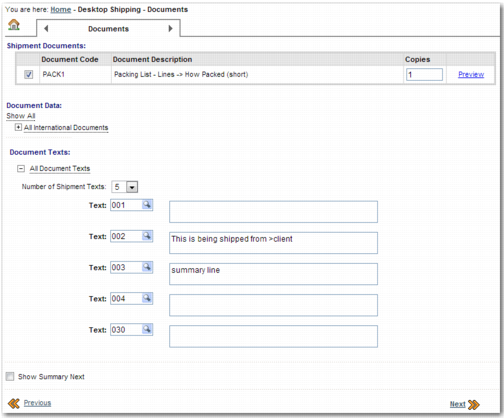
Documents Step
The Documents step allows the user to attach documents to a shipment; for example, customs or hazardous material documents.
Documents Step
Skipping the Documents Step
It is possible to skip this step when you are creating a domestic shipment. The Skip Document Step field appears on the Accessorials step to allow the user to bypass the Documents step. This option is not available when you are creating international shipments. However, even in the case of international shipments, there is no obligation for the user to add documents to the shipment. The user can simply click Next to move on to the next step.
Adding Document Texts to the Shipment
It is possible to add notes to the shipment on the Documents page. To specify the maximum number of notes that you can add in the Document Texts section, set DTS NUMBER OF TEXT FIELDS in the ITRAX category to the appropriate number.