Address Task
Use this task to view addresses for each partner role associated with the workflow. Depending on your configuration, you may be able to update address details before you rate the shipment; it is not possible to update addresses after rating the shipment.
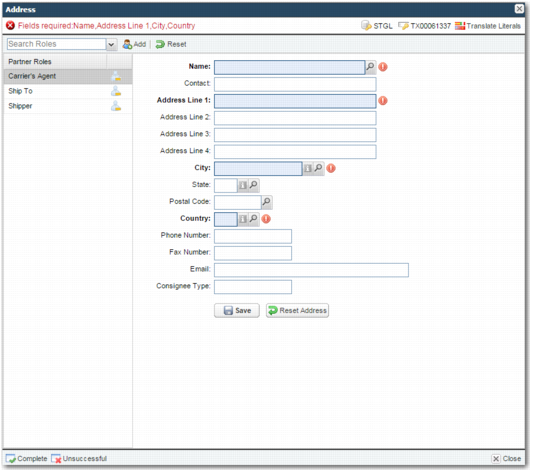
Address Task shows the default appearance of the Address task.
Address Task
A list of partner roles appears on the left side of the screen. Your administrator configures this list of partner roles, which is a subset of the list in
Address Task. Select the partner role and update the address. The address fields are the same, regardless of the partner role you select.
Name
The name of the partner.
Contact
A contact name within the partner organization.
Address Line 1, Address Line 2, Address Line 3, Address Line 4
Fields for entering the partner’s address data.
City, State, Postal Code, Country, Phone Number, Fax Number, Email
Enter the relevant partner information for each field.
To update an address, complete the address fields and click Save. If there are mandatory fields on the screen, and you leave these fields blank, an error message appears at the top of the screen, as in
Address Task. Similarly, if an address is read-only, a message appears at the top of the screen advising you that the address is locked. To reset the address to the address saved in the partner record, click Reset Address.
If an address already exists, the address fields show this address when you select the partner in the Name field.
To close the Address pop-up window, click Close. To mark the task as complete or unsuccessful, click the appropriate icon at the bottom left of the window. The Unsuccessful icon only appears when the administrator configures the relevant setting.