Recall Shipment
Use the Recall Shipment option to search for and edit a shipment. To open the Recall Shipment option, on the left menu, choose Transportation Management|Recall Shipment.
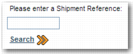
Recall Shipment Page displays the Recall Shipment page.
Recall Shipment Page
Enter the reference number of a shipment and click Search. Step one of the Desktop Shipping wizard opens, populated with the shipment details. You can then make the necessary changes to the shipment.
The Recall Shipment option is only available for shipments that are not yet rated. If you enter the reference number of a rated shipment, an error message similar to the one in
Recall Shipment Page with Error appears.
Recall Shipment Page with Error
Note: Recalling the shipment is also possible using the Inquiry option in the Base menu. This method provides more search options, along with the ability to review the details before recalling the shipment. For more information, see the Inquiry chapter of Base User Guide.