Products Area
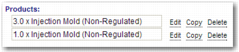
The Products area lists information about the products you add to the shipment, and the quantity of each. You can edit, copy, or delete a list entry by clicking the link next to it. If you click Edit or Copy, the details for the entry appear in the Product Details area. If you make changes to an entry, click Update or Add. To remove an entry, click Delete.
Products Area