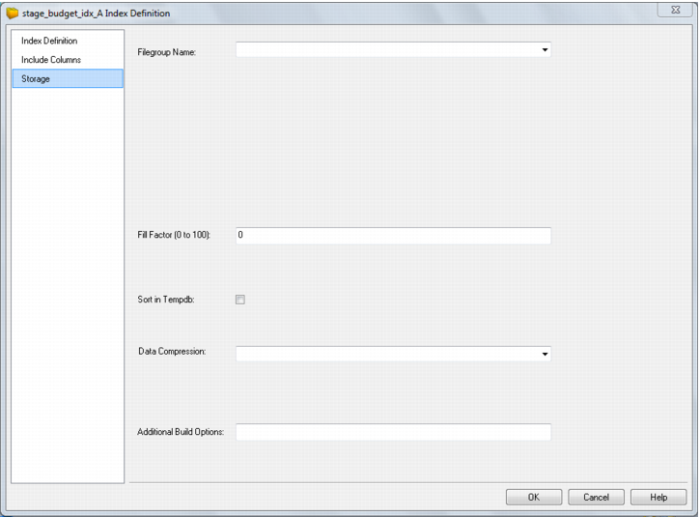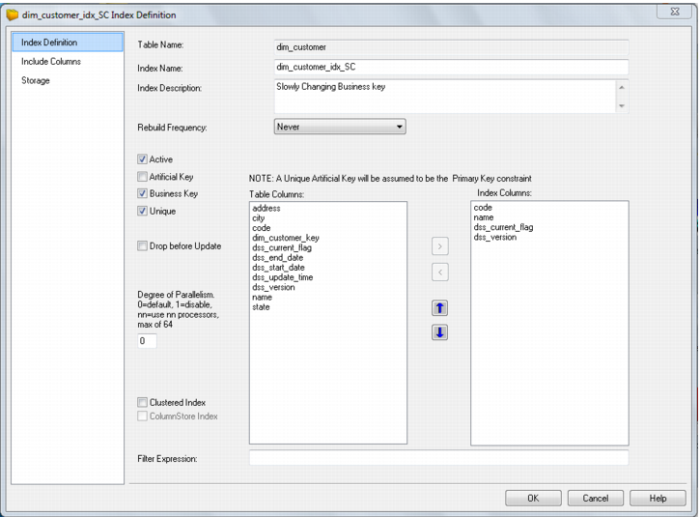
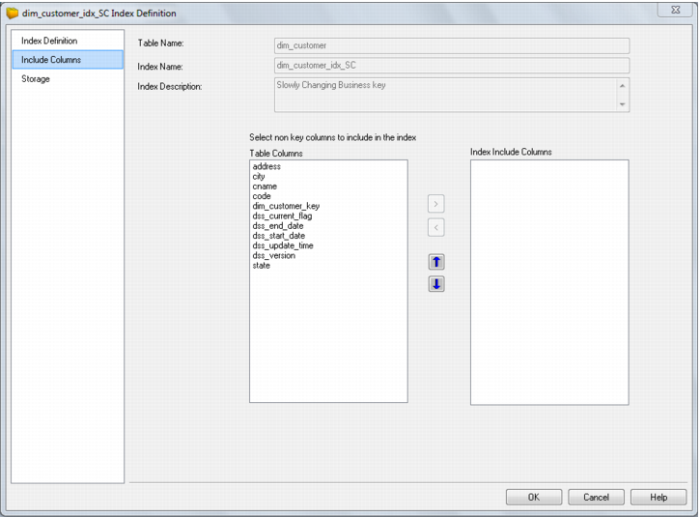
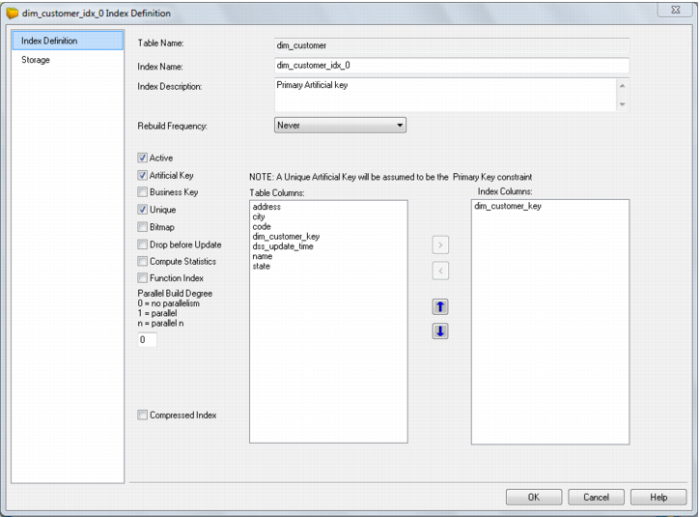
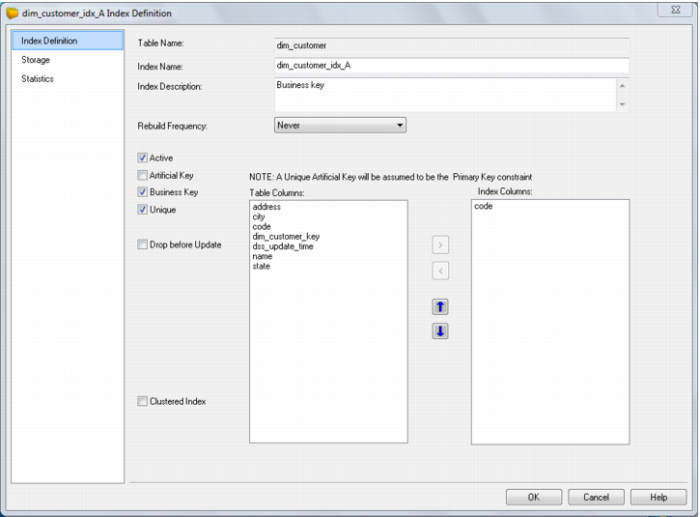
Field | Description |
Index name | Typically the table short name followed by: _idx_0 indicating primary key _idx_n where n = any number from 1 indicating dimensional keys _idx_x where x = any letter a thru z indicating business keys. |
Index description | Free flow description of the index |
Rebuild frequency | When the index is rebuilt by the scheduler. Select an option from the drop down list box: Never (default) Daily End Month Start Month Saturday Sunday Monday Tuesday Wednesday Thursday Friday |
Active checkbox | When checked means the index is in use. When unchecked means the index is not managed by the scheduler. |
Artificial Key | When checked indicates that this is the surrogate (artificial) key generated by the system. |
Business Key | Denotes a business key. |
Unique | Specifies that the index is a unique index Note: If both unique and artificial are set it is assumed to be a primary key constraint and it is added as such. |
Bitmap | Oracle only: When checked indicates an Oracle bitmap index. Typically this is set for dimensional join keys. Note: Generally requires the drop before update option to be checked also as bitmap indexes do not grow gracefully. |
Drop before Update | The index is dropped before the update procedure runs on the table and is reinstated after the update is completed. |
Parallel | Oracle only: Defines the degree of parallelism used during the index build 0 = no parallelism 1 = parallel build where the database server decides how many parallel threads to use n = parallel n where the server will use n parallel threads in the build. |
Compressed Index | Oracle only: If checked the index will be created compressed. The compression level edit box will also become visible. |
Compression level | Oracle only: Sets the number of prefix columns to compress. This value must be between 1 and one less than the number of columns in the index. The default (blank) is one less than the column count. |
Clustered Index | SQL Server and DB2 only: If checked the index will be created as a clustered index. |
ColumnStore Index | Available for SQL2012 repositories. |
Index columns | Shows the columns in the order they will be applied to the index. The order can be changed using the up/down buttons at the left. |
Table columns | Shows all columns in the table that can be indexed. These table columns can be added or removed by highlighting the column and checking the appropriate button. |
Filter Expression | Filter expression enabled for SQL2008+. Define an Index filter to be applied during Index Create. This limits the size of an index by only indexing rows matching the filter conditions. |