Work Order Requisitions
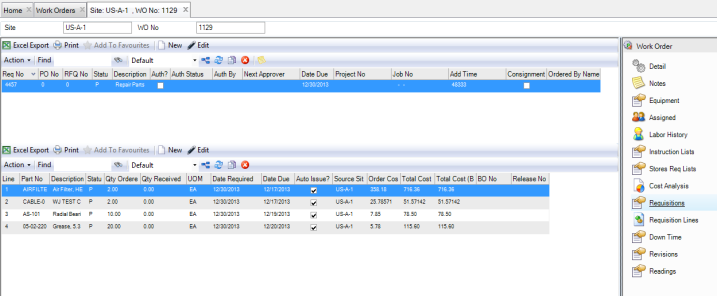
If you need to buy parts, EAM gives you the ability to create requisitions directly in the work order.
The Requisitions submenu contains the same menus and action items as those available in the Requisition browse in the Requisition module. See
Requisitions.
WO Requisition Submenu
Create a Requisition for a Work Order
To create a requisition for a work order, open the work order and select the Requisitions submenu. Click New in the upper browse and enter the necessary information for the requisition. See
Creating a Requisition.
Add Lines to a Requisition in a Work Order
To add lines to requisition, open the work order and select the Requisitions submenu. Click New in the lower browse and enter the necessary information for the requisition line. See
Add Lines to a Requisition.
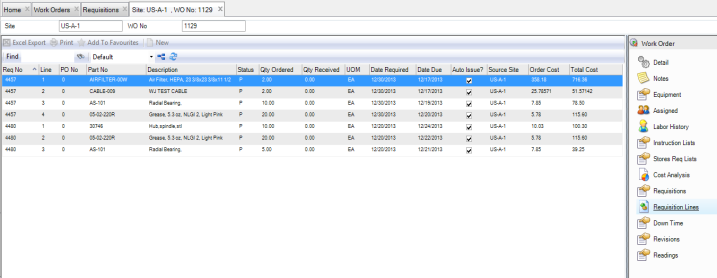
Requisition Line Submenu
The Requisition Line submenu displays all the requisition lines associated with the work order. The information in this submenu can only be viewed. New lines cannot be added in this submenu.
WO Requisition Line Submenu