Create a Replenishment Request
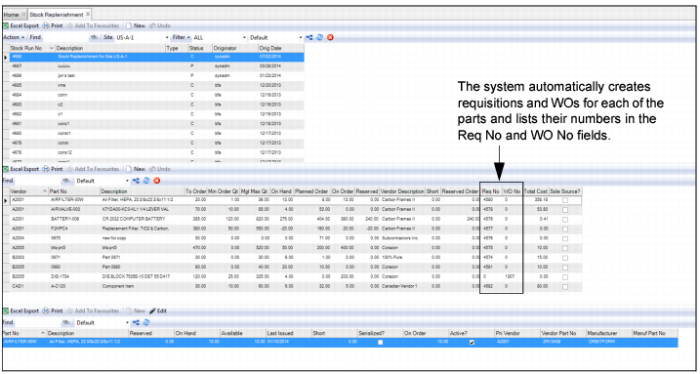
The Create Requests action allows you to automatically create requisitions and work orders for the parts that were added to the stock replenishment run.
Creating Requisitions and Work Orders from a Stock Replenishment Run
Follow these steps to create requisitions and WOs from a stock replenishment run:
1 Open the Stock Replenishment browse and highlight the stock replenishment run.
2 Select Create Requests from the Stock Replenishment Action menu. The system automatically creates requisitions and WOs for each of the parts and populates the numbers in the Req No and WO No fields.
Create Requests for a Stock Replenishment Run
Blanket Order Release
When the Create Request action is performed, EAM automatically looks for active BOs that contain the parts and then creates releases from the BOs. For more information about BOs, see
Blanket Orders.
Automate Stock Replenishment
The Stock Replenishment job program adds a new stock replenishment run, globally adds parts, and then creates requests based on the run parameters that are entered. This job program can produce the same results as if the stock replenishment run was added manually in the Inventory|Stock Replenishment browse. For more information, see
Stock Replenishment.