Inventory
Inventory managers and controllers need accurate reports that track spending on spare parts. These reports provide a way to closely monitor inventory values. Managers can track what comes in and what goes out, and make adjustments to inventory purchasing to more closely balance the purchase and consumption of parts.
Inventory Adjustments
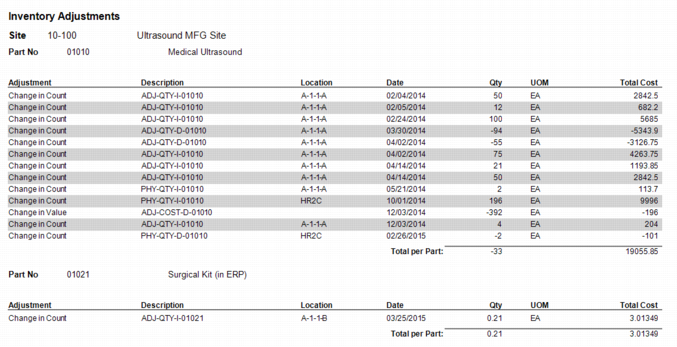
This report groups inventory adjustments by site and part number. The body of the report displays a description of the adjustment, location and date of the adjustment, quantity that was adjusted, unit of measure, total cost of the adjustment and the total cost per site.
Inventory Adjustments
Inventory by Vendor
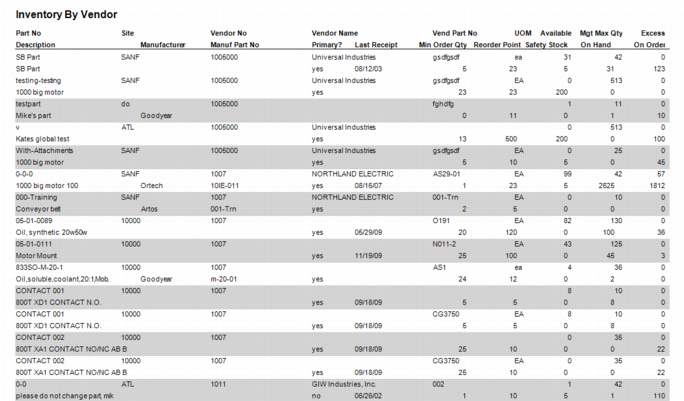
This report shows all inventory parts associated with a vendor.
Inventory by Vendor Report
Inventory Days of Supply
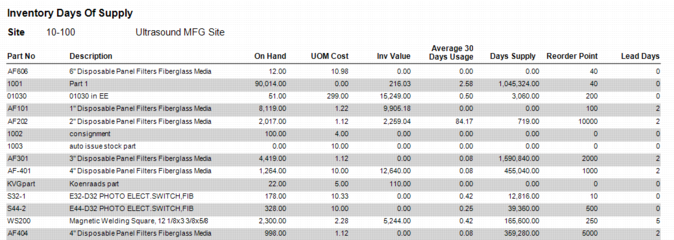
Inventory Days of Supply Report
Inventory Descriptors
List
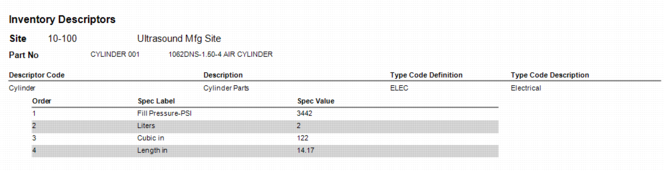
This report displays descriptor codes, sorted by site and part number. Below each descriptor code are the orders that use that associated code.
Inventory Descriptors Report
Inventory for All Sites
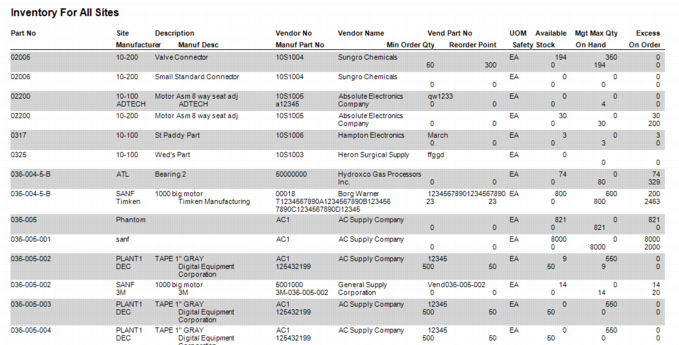
This report displays the inventory for all sites, sorted by part number.
Inventory All Sites Report
Inventory Issues
Issue to Cost Center and Account
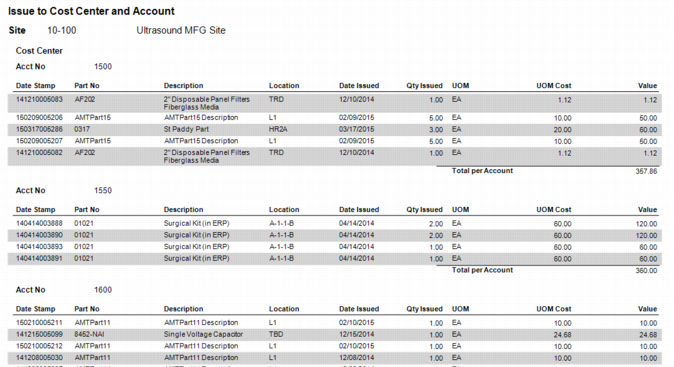
This report displays the issuance of part numbers and their associated values, filtered by site, and grouped by cost center and account number.
Issue to Cost Center and Account Report
Inventory Transactions
Consignment Usage Transactions by Vendor
This report displays the transactions that apply to the consignment parts for the selected vendor. The report is filtered by part number and lists the date, transaction type, quantity, UOM, and total cost of each transaction for the part number.
Inventory Transfer Document
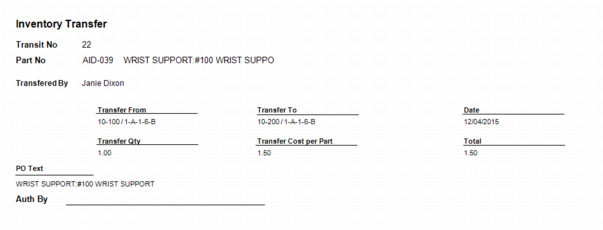
Inventory Transfer
Inventory Transfer
Inventory Usage Analysis
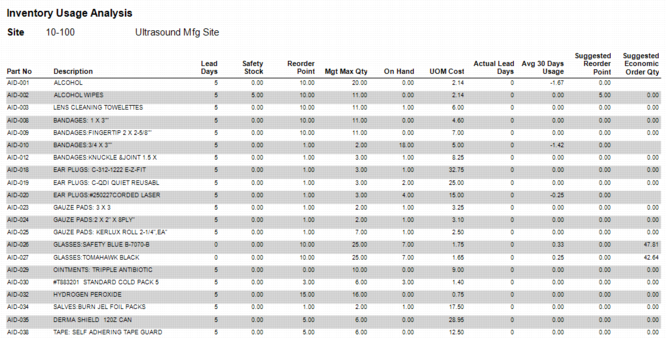
This report displays all inventory, filtered by site, and other constraints you include in Filter Criteria. The body of the report includes the part number and that part number’s lead days, safety stock, number on hand, average 30 day usage, and suggested reorder point.
Inventory Usage Analysis
Inventory Value
Inventory Value Average Cost
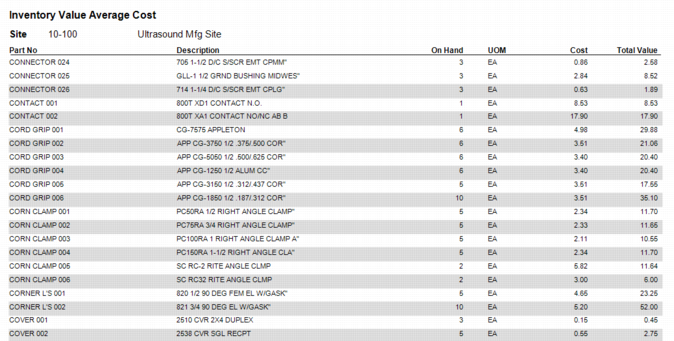
This report displays inventory, filtered by site and listed by part number. It includes the on-hand quantity, UOM, cost per unit, and total value of the part.
Inventory Value Average Cost Report
Inventory Value FIFO Cost
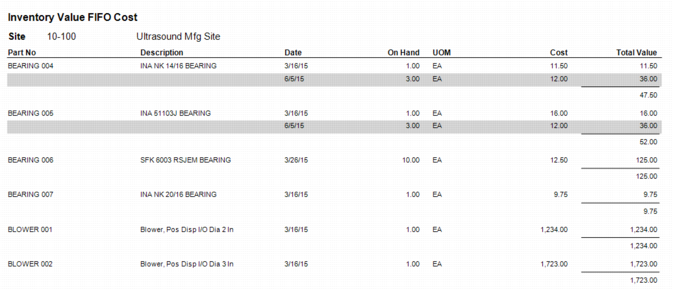
This report displays inventory filtered by site and displayed by part number. For a part to display in this report, the part must have at least one FIFO record attached.
Inventory Value FIFO Cost Report
Inventory Value LIFO Cost
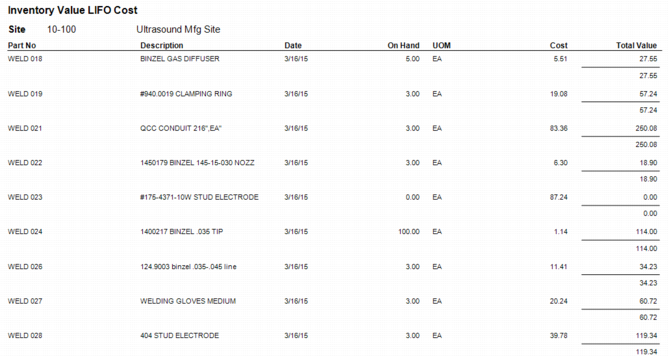
This report displays inventory filtered by site and displayed by part number. For a part to display in this report, the part must have at least one LIFO record attached.
Inventory Value LIFO Cost Report
Inventory Value As of Date
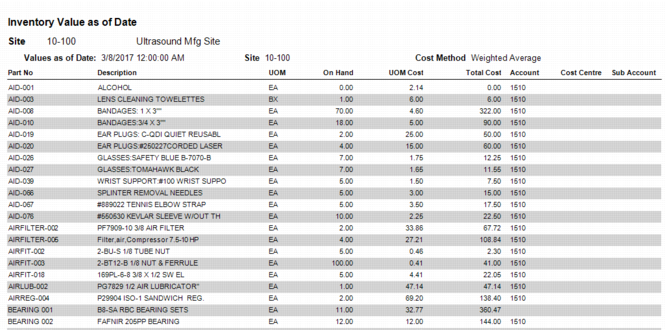
This report displays inventory values as of the date the report is run based on your cost method. It is filtered by site and is sorted by part number.
Inventory Value as of Date Report
Inventory with Location
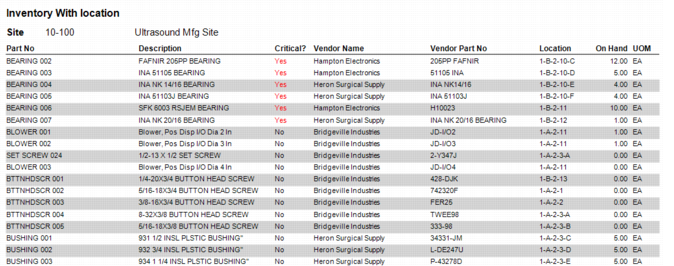
This report displays inventory, filtered by site. It lists inventory by part number, including the location of the part, the number on hand, and whether the part is critical or not.
Inventory with Location Report
Inventory Without Price Schedules
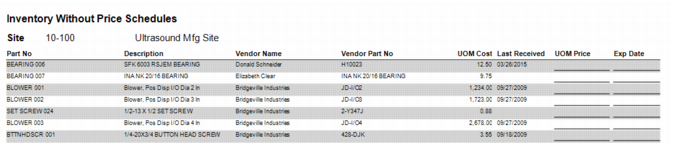
This report displays inventory by site, listed by part number. Each part number includes vendor name, vendor part number, and the date the part was last received.
Inventory Without Price Schedules Report
Physical Inventory
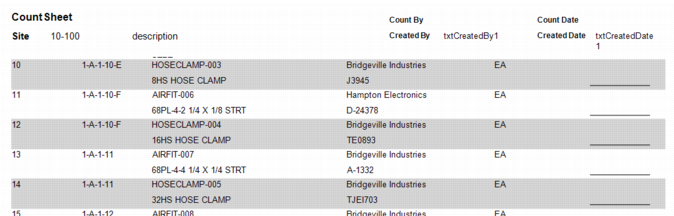
Count Sheet
Inventory Count Sheet
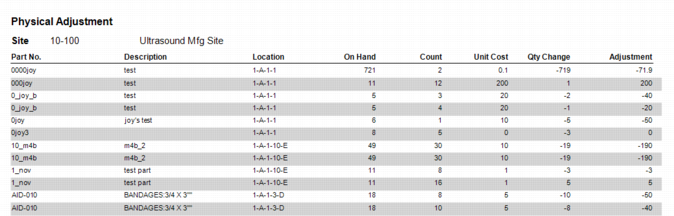
Physical Adjustment
Inventory Physical Adjustment Report
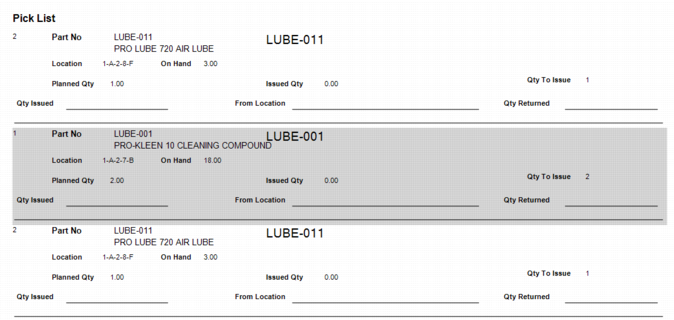
Pick List
Inventory Pick List
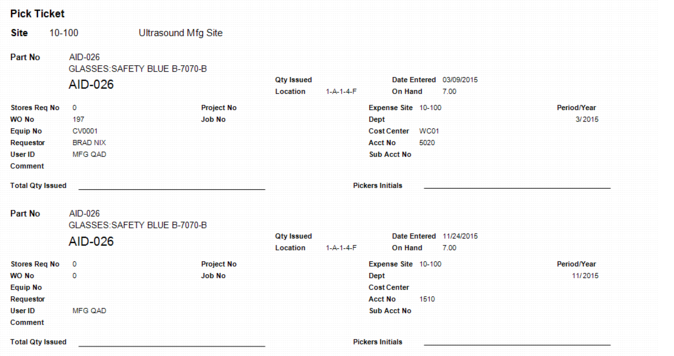
Pick Ticket
Pick Ticket Report
Stock Replenishment
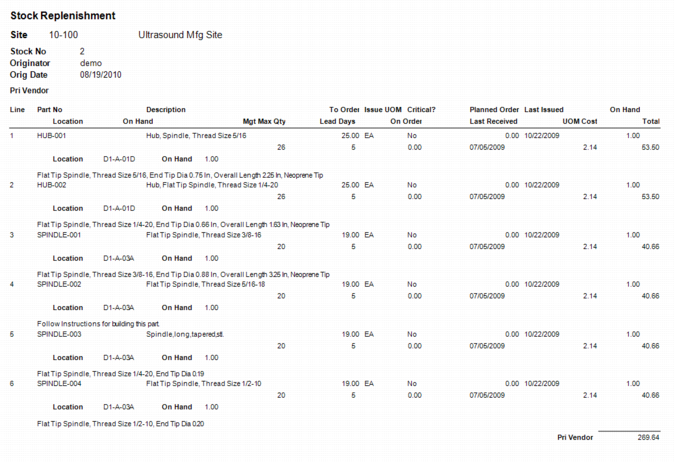
This report shows a list of parts and quantities in inventory, allowing you to confirm those amounts before creating requisitions or work orders. The report displays the vendor part number and a description for each part. The report also displays the expected price for each item, with that price coming from the following sources:
• The price from the vendor part record (vr_qote.uom_cost).
• If the vendor part record does not have a price, then the last price at which the item was purchased.
• If there is no last price, then the item’s UOM cost (parts.uom_cost).
The report displays the expected total cost for each part listed and calculates the total cost for parts from each individual vendor.
Stock Replenishment Report