Logging In to Unix Character Session and Starting RF Software
This section tells you how to log in to a Unix character session and start the RF (radio frequency device) software.
To log in to the Unix character session and start the RF software:
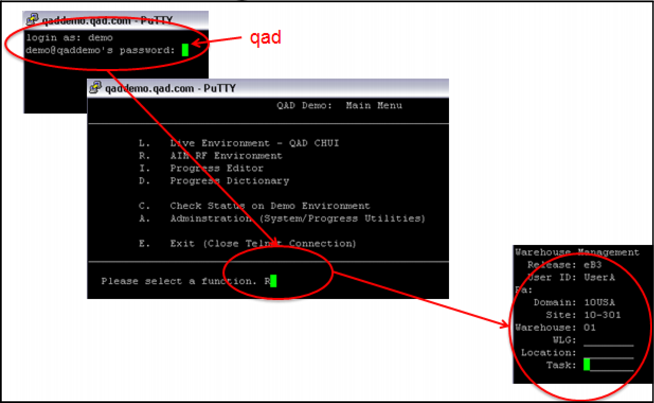
1 When the qaddemo.qad.com putty session starts, log in as demo.
2 Enter the password as qad.
The qaddemo Main Menu displays.
3 Enter R to start the RF warehousing software.
The RF main menu displays.
4 Enter RF login data, such as the user ID, domain, site, warehouse, work location group (WLG), warehouse, or task; see
RF Login.
RF Login