Setting Up Customer Schedules
To use customer schedules, you must set up the same baseline data required for sales orders, including items and customers. If you plan to use shipping containers, you must also set up the container items in Item Master Maintenance (1.4.1).
Within customer schedules, a number of additional kinds of data can be set up to streamline order processing. Most setup functions are found on the Customer Schedules Setup Menu (7.3).
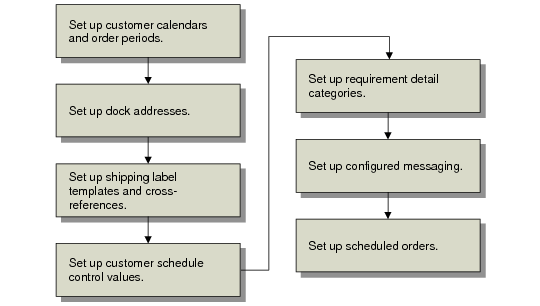
Customer Schedules Setup Flow illustrates the flow of setup tasks.
Customer Schedules Setup Flow
Two steps are optional:
• If you use a noncumulative accounting procedure, you also need to set up categories to use for requirement detail pegging. See
here for details.
• If you want to add special checks to verify shipper structure or modify how the system verifies authorization numbers, use Configured Message Maintenance (36.4.6.13) to customize the validation process. See
here for details.